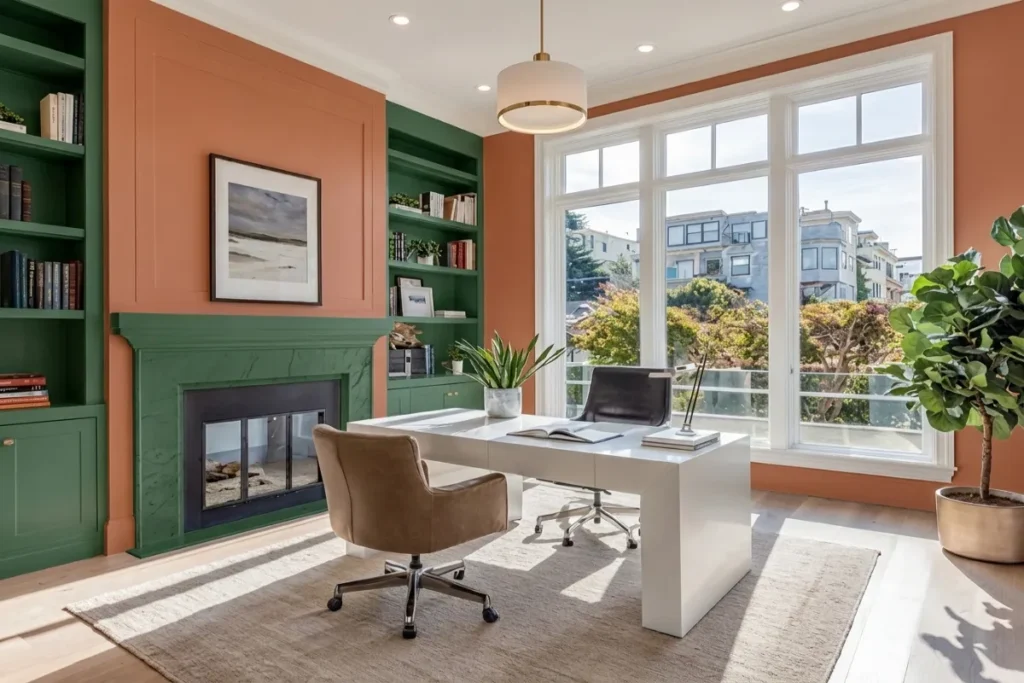
The era of sitting at a single static desk for eight consecutive hours is officially over. Remote professionals, creative directors, and software architects are encountering a common wall: cognitive fatigue caused by environmental monotony. Staring at the exact same monitor arm, wall paint, and desk surface through morning emails, intense deep-work sprints, video calls, and evening planning sessions creates a psychological blur that degrades both focus and well-being.
The modern solution dominating 2026 interior architecture is the concept of Multizonal Workspaces. By dividing a single room—or even a compact desk surface—into distinct, intention-driven activity zones, you align your physical surroundings with your brain’s shifting neuro-cognitive states. This guide explores the psychological mechanics, spatial layouts, tech integration, and step-by-step implementation strategies required to build a environment that eliminates mental friction and keeps you performing at your peak.
The Ultimate Guide to the 48 Best Male Home Office Ideas for 2026
Table of Contents
The Cognitive Science Behind Multizonal Workspaces
Why is context-switching at a single desk so draining? Human brains rely heavily on visual and spatial anchors to signal energy levels and cognitive modes.
When you perform high-stress problem solving, informal brainstorming, administrative tasks, and relaxation in the exact same physical posture and spot, your brain struggles to establish clear psychological boundaries.
+-------------------------------------------------------------------------+
|                    THE MULTIZONAL WORKFLOW LOOP                         |
|                                                                         |
|   [ZONE 1: FOCUS]  ------->  [ZONE 2: ANALOG / BRAINSTORM]              |
|   - Dual Monitors            - Whiteboard / Notebook                    |
|   - Standing Desk            - Ergonomic Lounge Chair                   |
|          ^                                  |                           |
|          |                                  v                           |
|   [ZONE 4: RECOVERY] <------- [ZONE 3: COMMUNICATIONS]                  |
|   - Daylighting / Plants     - Curated Camera Backdrop                  |
|   - Zero Tech Devices        - Acoustic Dampening                       |
+-------------------------------------------------------------------------+
Context-Dependent Memory and Energy Modulation
Environmental psychology demonstrates that changing physical positions between distinct work modes triggers fresh attentional resources.
Transitioning from a primary computer monitor to a dedicated analog reading chair or standing whiteboard area provides a micro-reset for your prefrontal cortex. Multizonal Workspaces leverage this spatial anchoring so that moving into a designated zone automatically primes your mind for the task at hand.
The 4 Essential Zones of a High-Performance Layout
Whether you have a dedicated 200-square-foot room or a 6-foot alcove in a studio apartment, a successful layout relies on establishing four core operational zones.
1. The Deep Work Zone (Digital Execution)
This is your primary engine room designed for intense, uninterrupted output.
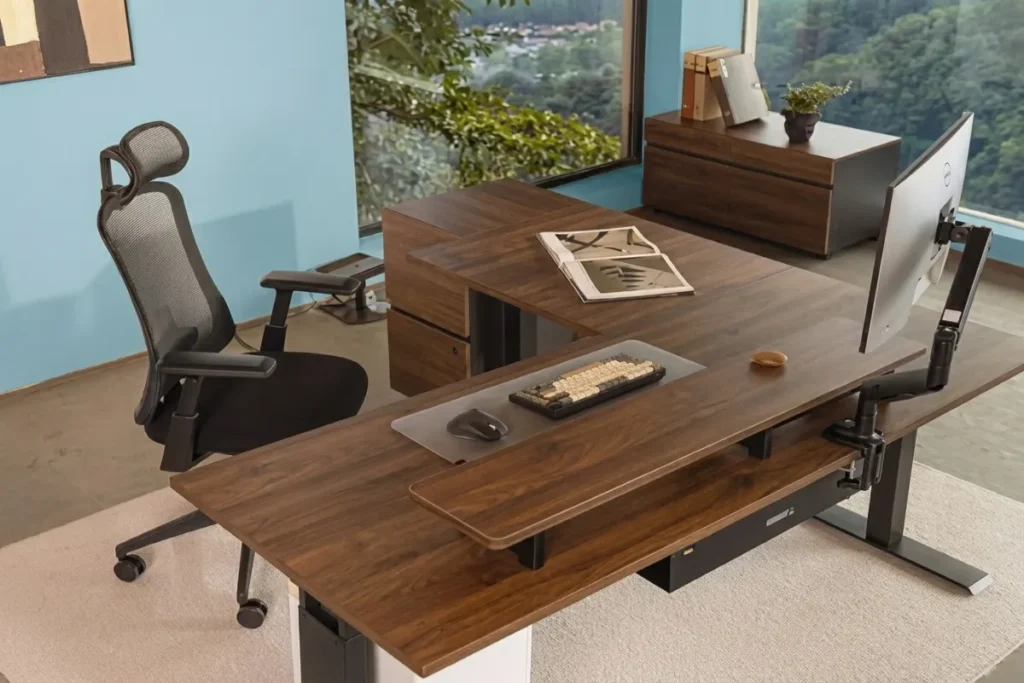
- Hardware Setup: Dual monitors or an ultrawide display mounted on gas-spring arms, an ergonomic task chair, and a motorized sit-stand desk frame.
- Lighting & Environment: Cool-to-neutral task lighting (4000K) positioned off-axis to prevent glare, paired with high-performance cable management to eliminate visual clutter.
- Aesthetic Focus: Minimalist decor directly in your line of sight to minimize peripheral distractions.
2. The Analog & Ideation Zone (Creation)
Laptops and notifications hinder open-ended thinking. The Analog Zone is explicitly tech-light or tech-free.
- Hardware Setup: A secondary wooden table leaf, a standing whiteboard wall, or a comfortable lounge armchair with a lap desk.
- Tools: Physical notebooks, sketchpads, printouts, and physical books.
- Purpose: Outline strategies, annotate documents, read long-form reports, or sketch system architectures without digital pop-ups interrupting your train of thought.
3. The Broadcast & Communication Zone (Engagement)
Virtual meetings demand a distinct environmental setup that differs from deep focus sessions.
- Hardware Setup: Dedicated webcam positioned at eye level, directional lighting panels, and acoustic dampening.
- Backdrop Styling: A curated camera backdrop featuring warm accent lighting, textured wall panels, or structured greenery.
- Acoustic Treatment: Felt wall tiles or heavy curtains to absorb room echo during calls.
4. The Decompression & Transition Zone (Recovery)
High output requires intentional rest. The Decompression Zone signals to your nervous system that it is time to shed work stress.
- Features: Positioned near natural daylight, featuring air-purifying indoor plants (such as Snake plants or Pothos), a comfortable stretch mat, or a single armchair facing away from computer screens.
- Rule: Zero active digital work allowed in this space.
Interactive Zone Allocation Tool
Use the interactive planning matrix below to determine how to divide your available room dimensions into an optimized zonal system.
Room Blueprint Comparison: Micro-Apartments vs. Dedicated Offices
Implementing Multizonal Workspaces does not require a massive floor plan. It requires intentional spatial boundaries.
| Metric / Parameter | Micro-Space / Studio (Under 80 sq ft) | Standard Room (80 – 150 sq ft) | Executive Suite (150+ sq ft) |
| Zone Separation Method | Desk surface micro-zoning (L-desk or monitor swivels) | Visual dividers (rugs, shelving units, accent paint) | Physical spatial furniture grouping |
| Deep Work Setup | Compact sit-stand desk with floating monitor arms | Standard motorized standing desk + ergonomic chair | Full executive motorized desk + dual arms |
| Analog Zone Implementation | Flip-up side leaf attached to main desk or lap desk on sofa | Dedicated accent armchair with side lamp | Separate wooden library table + whiteboard |
| Broadcast Zone Strategy | Foldable ring light + pull-down roller shade background | Dedicated desk angle facing styled wall shelf | Custom acoustic paneling + permanent key light panels |
| Decompression Zone | Window sill seat or standing stretch zone with plant | Corner chair + bio-lighting floor lamp | Dedicated lounge chaise + biophilic wall plant collection |
5 Practical Steps to Transition Your Workspace Today
Transforming your current office into a multi-zone environment can be accomplished systematically:
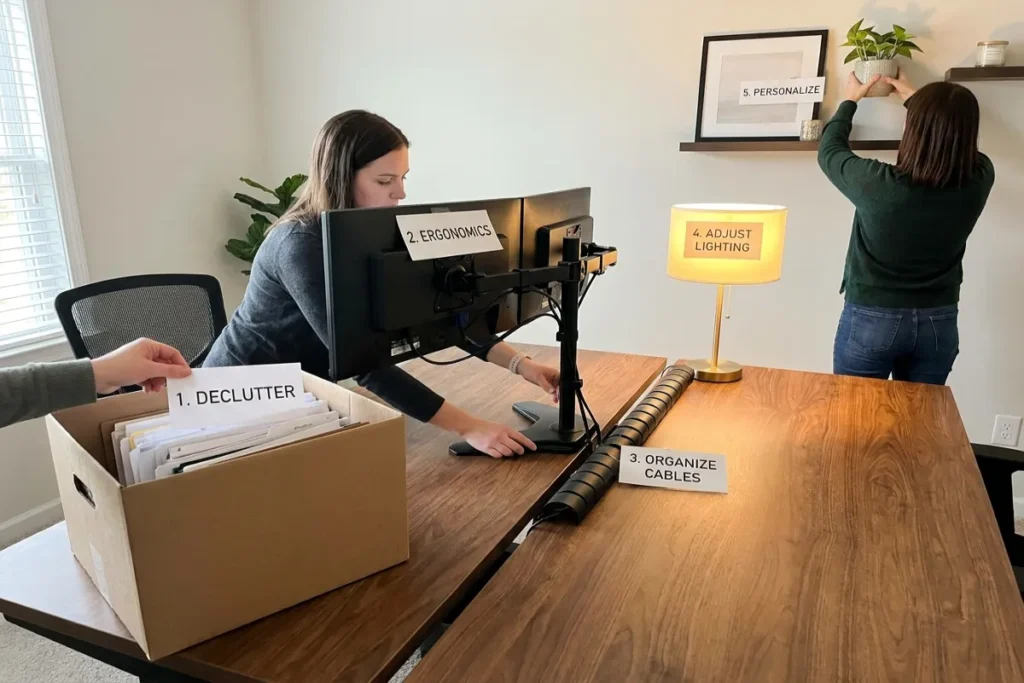
- Audit Your Daily Tasks: Track your workday for three days. Categorize every activity into one of three buckets: Creation/Strategy (Analog), Execution/Coding (Deep Work), or Communication (Calls).
- Define Physical Boundaries using Rugs: Use small area rugs to visually anchor different areas. A woven wool rug beneath your main desk signals the execution zone, while a round jute rug under a side chair marks the analog reading nook.
- Establish Lighting Layers: Install dedicated lighting for each zone. Warm 2700K floor lamps belong in the reading and decompression corners; cool 4000K task lighting belongs at your main execution desk.
- Implement the 180-Degree Swivel: If space is tight, mount your main monitor on a fully articulating arm. Swiveling your display 90 to 180 degrees away from your keyboard creates an instant physical shift for reading or video calls.
- Ruthlessly Hide Cross-Zone Clutter: Keep analog tools out of your deep work area and hide charging cables inside under-desk channels so visual noise doesn’t follow you across zones.
Reclaim Your Focus with The Tek World
Moving away from static workstations toward dynamic Multizonal Workspaces is the single most effective environmental upgrade you can make for long-term focus, physical energy, and creative output. By structuring your room around how your mind actually operates, you build a sustainable workflow that protects your well-being.
Looking for the best motorized standing desks, gas-spring monitor arms, acoustic wall panels, and smart lighting systems to build your layout? Visit thetekworld.com for hands-on reviews, spatial design guides, and expert recommendations updated for 2026.
Frequently Asked Questions (FAQ)
1. Can I build a multizonal workspace if I only have a small bedroom corner?
Yes. Micro-zoning allows you to establish zones on a single desk surface. Dedicate the center area with monitors exclusively for execution. Use an adjustable swivel monitor arm to clear the desk deck, creating an analog sketching zone on the left leaf, while using a dimmable warm side lamp to change the mood for reading.
2. What is the most important element when dividing zones in an open-concept room?
Visual and acoustic cues are key. Utilizing distinct floor coverings (like area rugs), varying color temperature lighting (cool for focus, warm for rest), and introducing physical vertical elements (like open wooden shelving units or tall leafy plants) successfully tricks the brain into perceiving separate rooms within one floor plan.
3. How do multizonal setups help prevent remote work burnout?
Burnout often stems from the inability to psychologically “turn off” work when living and working in the same space. Establishing explicit decompression and analog zones physically separates high-stress digital execution from creative or restful activities, allowing your parasympathetic nervous system to recharge throughout the day.
4. Are smart lighting controls necessary for a multi-zone layout?
While not strictly required, smart lighting simplifies zone transitions. Setting pre-programmed lighting scenes (such as “Deep Work Focus” or “Evening Analog Reading”) adjusts brightness and Kelvin temperatures across the room with a single tap, instantly reinforcing the mental transition between zones.

Comments