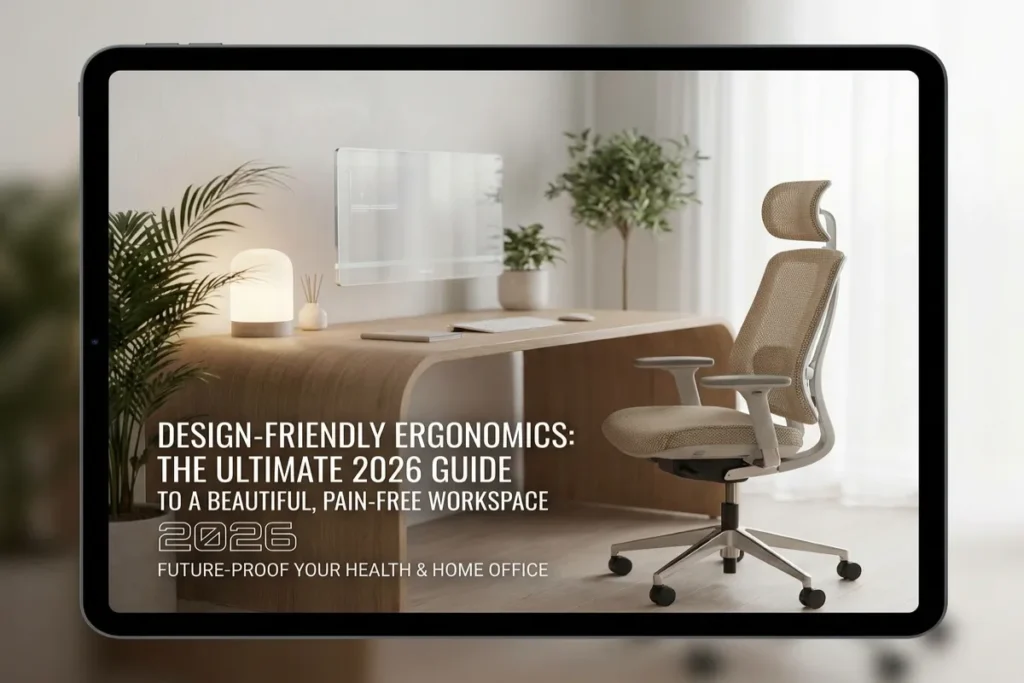
For over two decades, setting up a proper ergonomic workstation meant making a severe visual sacrifice. Dedicated remote workers and design-conscious professionals were forced to choose between two unpleasant extremes: a chic, Scandinavian-inspired room anchored by a rigid dining chair that caused chronic lower back pain, or a orthopedically supportive workstation dominated by chunky black plastic levers, industrial steel mesh, and sprawling cable webs that ruined the curated aesthetic of their homes.
The landscape of remote work and residential interior architecture has evolved. The defining furniture movement of 2026 is Design-Friendly Ergonomics—the seamless convergence of human-factors engineering, biomechanical support, and high-end interior design.
By combining organic materials, concealed motorized mechanisms, tactile fabrics, and sculptural silhouettes, Design-Friendly Ergonomics allows you to preserve your physical spinal health and daily productivity without compromising the sophisticated aesthetic of your living space. In this comprehensive guide, we will unpack the history, scientific principles, spatial layout strategies, and material selections required to build a workspace that looks like a luxury showroom while supporting long hours of deep focus.
Multizonal Workspaces: The Ultimate 2026 Guide to Designing High-Performance Home Offices
Table of Contents
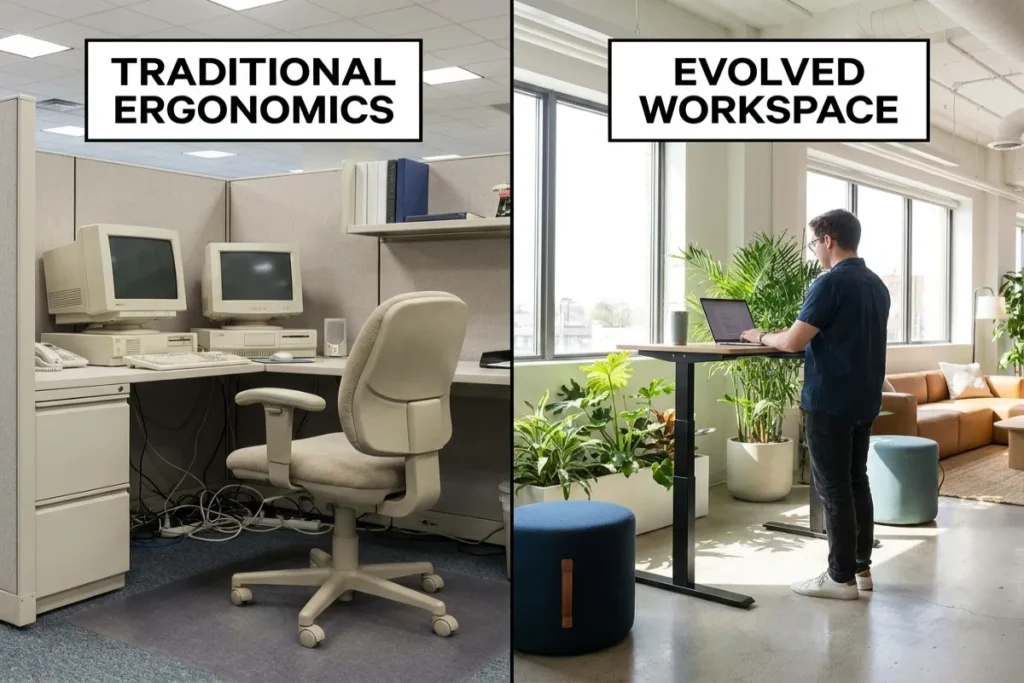
The Evolution of Workspace Aesthetics: Why Traditional Ergonomics Failed
To understand the necessity of this modern design movement, we must examine why traditional office furniture created such intense visual friction in residential environments.
+-------------------------------------------------------------------------+
|                    THE ERGONOMIC EVOLUTION TIMELINE                     |
|                                                                         |
|   1990s - 2010s: INDUSTRIAL CORPORATE AGE                                |
|   - Utilitarian black nylon plastic, exposed bolts, heavy steel bases   |
|   - Designed for sterile commercial cubicles, not homes                |
|                                                                         |
|   2015 - 2020: THE MINIMALIST AESTHETIC REACTION                        |
|   - Scandinavian wooden chairs, velvet dining seats, mid-century desks  |
|   - Visually stunning, but caused widespread back/neck strain           |
|                                                                         |
|   2026+: DESIGN-FRIENDLY ERGONOMICS                                      |
|   - Hidden motor columns, organic wool knits, solid hardwood slabs      |
|   - Biomechanical health seamlessly integrated into luxury decor        |
+-------------------------------------------------------------------------+
The “Black Plastic Era” of Corporate Furniture
Commercial office furniture of the late 20th and early 21st centuries was built for durability and standardized bulk purchasing. Manufacturers prioritized adjustability over form, resulting in exposed gas-lift cylinders, bulky adjustment knobs, coarse industrial mesh, and heavy black polyurethane bases.
When remote work exploded into a permanent lifestyle, placing these corporate relics into living rooms, bedrooms, and open-plan lofts disrupted house aesthetics. The furniture screamed “commercial office,” bringing corporate stress directly into personal sanctuaries.
The Misguided Trend of “Aesthetic-Only” Workstations
In response to industrial office eyesores, design enthusiasts swung to the opposite extreme. Instagram and Pinterest feeds became flooded with minimalist home office setups featuring mid-century shell chairs, flat wooden dining tables, and zero monitor elevation.
While visually breathtaking, these setups created a silent physical crisis. Lacking lumbar support, seat-depth customization, armrest articulation, and height versatility, professionals suffered from cervical spine strain, repetitive strain injuries (RSI), thoracic outlet syndrome, and daily physical fatigue.
The 2026 Renaissance: Blending Biomechanics with Beauty
Today’s design ethos rejects the false compromise between health and style. Adopting Design-Friendly Ergonomics ensures that biomechanical needs—spinal alignment, dynamic movement, joint neutrality, and circulatory health—are served using materials, colors, and forms that harmonize with architectural interiors.
The 4 Pillars of Design-Friendly Ergonomics
Achieving a harmonious balance between human health and visual beauty relies on four fundamental design pillars.
+-------------------------------------------------------------------------+
|                  PILLARS OF DESIGN-FRIENDLY ERGONOMICS                  |
|                                                                         |
|   [1. MATERIAL HARMONY]       [2. CONCEALED ENGINEERING]                |
|   - Solid Hardwoods           - Hidden Telescoping Columns              |
|   - Bouclé & Merino Wool      - Internal Cable Channels                 |
|   - Anodized Matte Metals     - Flush Capacitive Touch Controls         |
|                                                                         |
|   [3. SCULPTURAL SILHOUETTE]  [4. BIOPHILIC INTEGRATION]                |
|   - Flowing Organic Curves    - Natural Grain Patterns                  |
|   - Concealed Control Levers  - Integrated Planters & Terracotta        |
|   - Architectural Balance     - Circadian Lighting Integration          |
+-------------------------------------------------------------------------+
1. Material Harmony and Tactile Sophistication
Instead of relying on synthetic plastics and harsh shiny chrome, design-forward ergonomic furniture utilizes elevated, tactile materials derived from nature and high-end upholstery:
- Sustainably Sourced Hardwoods: Solid American walnut, white oak, and ash replace hollow laminate desktops and plastic frames.
- Performance Textiles: Industrial nylon mesh is replaced by breathable 3D-knit merino wool blends, tactile bouclé fabrics, and soft full-grain leathers that age gracefully.
- Warm Matte Metals: Bright chrome and raw steel give way to brushed brass, anodized champagne aluminum, and matte powder-coated finishes that blend with residential hardware.
2. Concealed Engineering and Hidden Functionality
The hallmark of luxury product design is invisible technology. Superior ergonomic gear hides its complex mechanisms within clean structural lines:
- Internal Cable Conduits: Desk frames feature hollow leg channels and magnetic raceways that hide power cords inside the frame itself.
- Integrated Controls: Motorized height adjustment switches are embedded flush into solid wood edges, using capacitive touch surfaces rather than plastic control boxes hanging beneath the desk.
- Streamlined Tension Systems: Chair tilt mechanisms are miniaturized and hidden inside the seat pan, eliminating bulky underslung spring canisters.
3. Sculptural Silhouettes and Spatial Flow
Rather than appearing as technical equipment, ergonomic pieces are sculpted to read as decorative furniture. Curved chair backs echo organic architectural arches; soft, rounded desk edges reduce pressure on forearm nerves while softening the room’s visual lines.
4. Biophilic Connection
Integrating natural grain patterns, earthy color palettes, and living plants into the physical structure of ergonomic workstations reduces mental fatigue. Biophilic design lowers heart rates and cortisol levels, amplifying the physical relief provided by correct posture.
Room-by-Room Product Selection Guide
Building a home setup around Design-Friendly Ergonomics requires selecting individual pieces that meet strict health criteria while matching your interior aesthetic.
1. The Executive Ergonomic Chair
The office chair is the hardest piece of furniture to elevate visually because it contains the most mechanical moving parts. However, 2026 designer chairs achieve full biomechanical adjustability through smart material choices.
- Key Features to Seek: 4D articulated armrests covered in leather or soft-touch felt, self-weighting lumbar support built directly behind a continuous wool mesh backrest, and smooth tilt-recline locks hidden inside a slim seat cushion.
- Aesthetic Profile: Choose neutral tones (oatmeal, greige, deep forest green, or cognac leather) over corporate black. Ensure the star base features matte powder coating or natural wood caps.
2. The Architectural Motorized Standing Desk
A standing desk is essential for alternating postures throughout the day, preventing metabolic stasis and spinal compression.
- Key Features to Seek: Dual-motor lifting columns hidden inside round or pill-shaped legs (avoiding harsh square industrial columns). Look for anti-collision sensors, silent operation under 40 dB, and a lifting capacity of at least 250 lbs.
- Desktop Selection: Select solid butcher-block wood tops with belly-carved ergonomic bevels along the front edge. Soft chamfered edges reduce contact stress on wrists and forearms while looking refined.
3. Floating Display Mounts and Sleek Laptop Riser Stands
Positioning your monitor so the top third of the screen sits at eye level prevents “tech neck” (cervical spine flexion).
- Aesthetic Execution: Replace bulky metal monitor arms with gas-spring mounts wrapped in magnetic wood veneer sleeves or matte fabric covers. Alternatively, place monitors on a solid wood desk riser shelf (a lap desk or monitor stand) that creates tiered storage for notebooks and keypads underneath.
4. Tactile, Design-Forward Peripherals
Every touchpoint matters for both wrist comfort and visual satisfaction.
- Ergonomic Keyboards: Opt for split mechanical keyboards housed in custom walnut or anodized aluminum cases with custom warm-toned keycaps.
- Contoured Mice & Vertical Controllers: Choose vertical mice finished in soft-touch matte shades with cork or textured leather grip panels.
- Desk Pads: Replace rubber neoprene pads with oversized Merino wool felt or full-grain vegetable-tanned leather desk mats that add warmth and muffle typing sound.
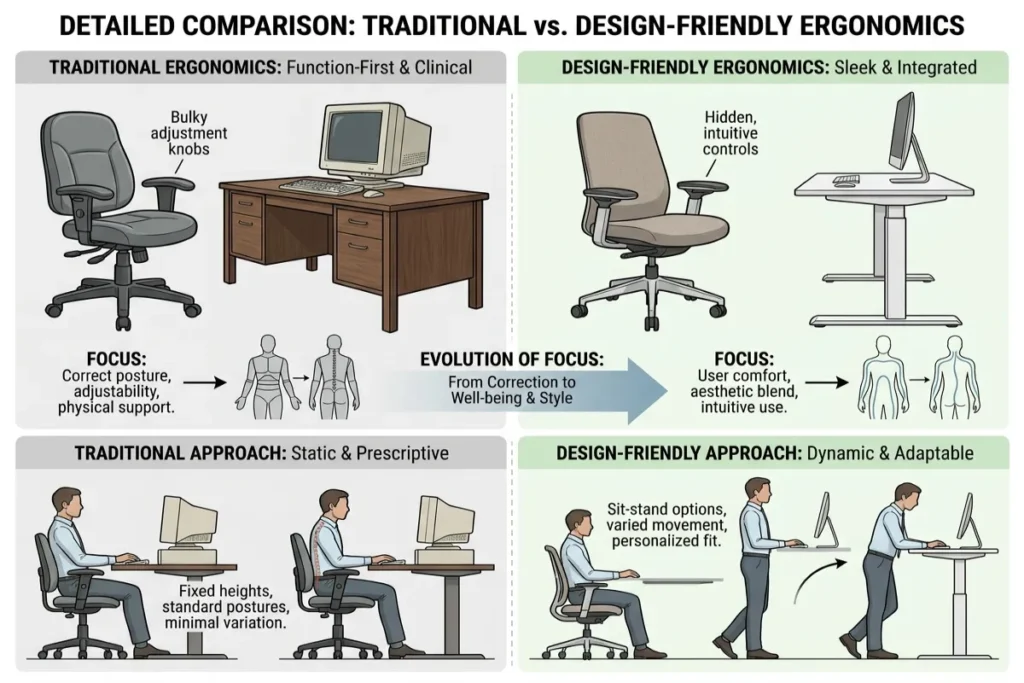
Detailed Comparison: Traditional vs. Design-Friendly Ergonomics
| Ergonomic Aspect | Traditional Corporate Ergonomics | Design-Friendly Ergonomics (2026 Standard) |
| Primary Material | Black nylon plastic, coarse polyester mesh | Solid hardwoods, 3D merino knits, matte metals |
| Height Mechanism | Exposed metal columns & plastic hand-cranks | Concealed motor legs with flush touch controls |
| Cable Management | Visible power strips, plastic zip ties | Magnetic frame channels & hidden under-desk raceways |
| Color Palette | Monochromatic black, dark grey, shiny chrome | Warm neutrals, sage green, terracotta, walnut, brass |
| Aesthetic Integration | Looks like a corporate call center | Blends seamlessly into luxury residential interiors |
| Ergonomic Precision | High, but visually overwhelming | High, with invisible or embedded adjustment controls |
| Tactile Experience | Cold, hard, synthetic surfaces | Warm, organic, textured, natural surfaces |
5 Practical Steps to Achieve Design-Friendly Ergonomics
Transforming an existing workspace into a high-performance, aesthetically pleasing studio does not require tearing down walls. Follow this step-by-step roadmap:
1. Hide 100% of Your Power Infrastructure
Visual clutter causes subconscious cognitive fatigue. Mount a heavy-duty steel cable management tray directly to the underside of your desk. Plug your computer, monitor adapters, and lighting into a single surge protector hidden in the tray, running a single braided fabric cable down to your wall outlet along the rear desk leg.
2. Match Materials to Room Context
Ensure your workspace furniture uses materials already present in your home. If your room features warm oak flooring and linen curtains, choose an oak desktop paired with an oatmeal fabric ergonomic chair. This visual continuity makes the desk feel like an organic extension of the room rather than an added piece of equipment.
3. Layer Soft Ambient Lighting with Task Illumination
Avoid cold overhead ceiling lights that cause glare on screens. Use a slim monitor light bar with high color rendering (CRI 95+) to illuminate your workspace deck without occupying desk surface area, and pair it with a warm ceramic ambient table lamp in the background.
4. Prioritize Multi-Functional Storage
Eliminate stack-on document trays and plastic bins. Use a side credenza crafted from natural wood to house printers, document files, and extra tech peripherals out of sight when not in active use.
5. Incorporate Soft Acoustic Dampening
Hard wood floors and plain drywall create sound echo that degrades video calls and focus. Install architectural felt wall panels, natural wood-slat acoustic wall panels, or thick wool area rugs. These dampen sound while adding visual texture and warmth to your environment.
Maintain Your Workspace with The Tek World
Investing in Design-Friendly Ergonomics is a long-term commitment to your physical longevity, mental clarity, and creative joy. By choosing high-performance furniture that respects both human biomechanics and home design, you remove the friction between working well and living beautifully.
Looking for deep-dive hardware reviews, solid wood standing desk tests, aesthetic mechanical keyboards, and studio lighting setups updated for 2026? Visit thetekworld.com for expert buying guides and practical tutorials crafted to elevate your home workstation!
Frequently Asked Questions (FAQ)
1. What is the most important piece of design-friendly ergonomic gear to invest in first?
If you work seated for more than 4 hours a day, invest in a high-end ergonomic chair that utilizes natural or neutral upholstered fabrics. Because your spine and pelvis require continuous support, a scientifically engineered chair prevents chronic lower back and neck issues far better than any other single accessory.
2. Are solid wood standing desks durable enough for heavy dual-monitor setups?
Yes. Solid hardwoods like walnut, white oak, and maple are exceptionally dense and structurally rigid. When paired with a dual-motor heavy-gauge steel frame rated for 250+ lbs, a solid wood desk supports multiple heavy monitors, audio gear, and desktop accessories without flexing or wobbling.
3. How do I make a split ergonomic keyboard look good in a minimalist room?
Choose split keyboards crafted with natural hardwood or anodized aluminum cases, and replace standard keycaps with custom matte keycaps that match your desk pad (such as beige, olive, or warm grey). Pair the keyboard with a custom coiled USB-C cable wrapped in neutral paracord to create a clean, intentional look.
4. Can design-friendly ergonomic furniture fit into a small studio apartment?
Absolutely. Small spaces benefit enormously from compact sit-stand desks with rounded edges, light-toned woods (like birch or ash), and floating wall-mounted monitor arms. Light woods and streamlined legs keep the visual footprint light, making a small room feel larger while maintaining proper ergonomics.
