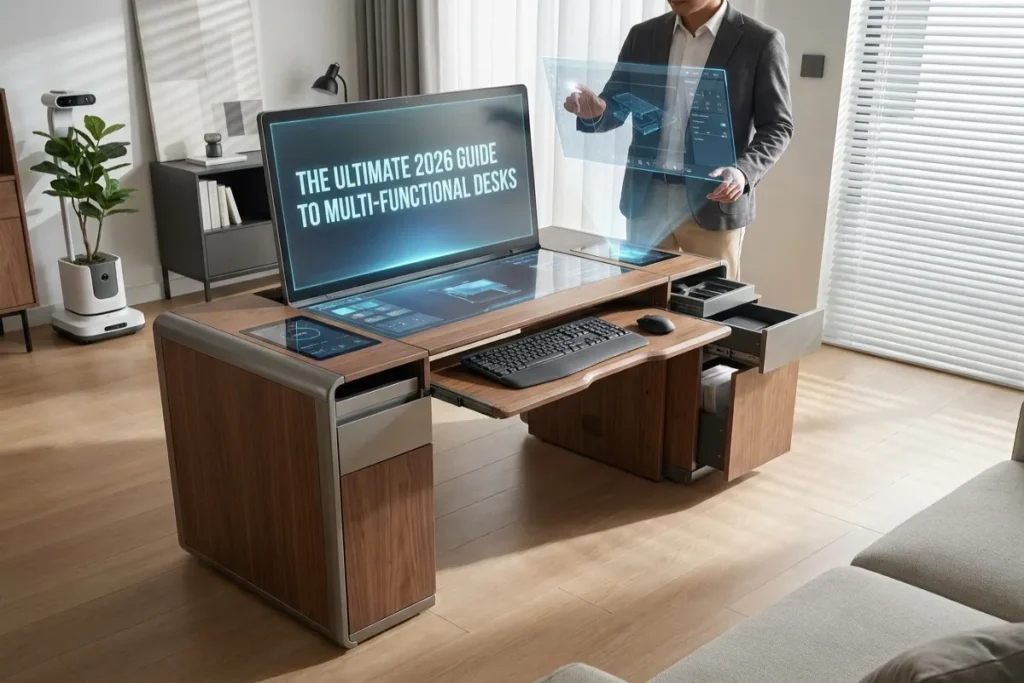
Living in 2026 means navigating compact apartments, hybrid work schedules, and the relentless demand for a clutter-free environment. When every square foot of your home office or living room counts, traditional single-purpose furniture quickly becomes an outdated bottleneck. Stiff dining tables, oversized wooden executive desks, and flimsy folding trays fail to meet the ergonomic, technological, and aesthetic demands of modern professionals.
Investing in Multi-Functional Desks solves this spatial puzzle by combining dynamic height adjustment, hidden storage, integrated tech hubs, and adaptable silhouettes into a single footprint. Whether you are a full-time remote developer, a content creator, or someone transforming a studio corner into an efficient workstation, Multi-Functional Desks allow you to maximize your physical environment while dramatically improving daily focus, physical health, and home organization.
The Ultimate Guide to Crafting a Biophilic Minimalism Desk in 2026
Table of Contents
The Evolution of Workspace Design in 2026
Workspace architecture has undergone a radical shift. The boundary between living environments and professional offices has dissolved, driven by urban density and flexible work models. Furniture can no longer serve a single purpose from 9 to 5 and sit as dead weight for the remaining hours of the day.
Why Traditional Desks Fail Modern Workflows
Traditional office furniture was engineered for dedicated commercial buildings with vast floor plans. In a residential setting, these heavy desks suffer from fundamental flaws:
- Static Footprints: They consume fixed square footage regardless of whether you are working, exercising, or entertaining.
- Zero Adaptability: Lacking height adjustability or expandable surfaces, they force your body into rigid, static sitting postures that contribute to chronic back and neck strain.
- Cable Chaos: Older furniture designs lack internal conduits, leaving power strips, display cables, and charger cords exposed across your living area.
- Single-Task Utility: A conventional desk serves one function. When work is finished, the visual reminder of your job remains permanently parked in your living quarters.
The Intersection of Micro-Living and Smart Home Tech
The surge in micro-apartment construction and multi-purpose living spaces has made adaptable furniture essential. Modern manufacturing now leverages lightweight aluminum alloys, sustainably harvested hardwoods, and silent electric motors to create furniture that transforms on demand.
Simultaneously, smart home integration has reached office furniture. Today’s workspace hubs feature embedded Qi2 wireless charging pads, touch-screen memory controllers, automated lighting bars, and app-driven reminders to alternate between sitting and standing throughout the workday.
Essential Types of Multi-Functional Desks for Every Space
Not all versatile workstations are built the same way. The ideal model depends heavily on your room layout, storage requirements, and daily task requirements.
1. Convertible Sit-Stand Desks with Integrated Storage
The most popular evolution of modern office furniture combines motorized sit-stand capability with built-in organizational compartments. Historically, standing desks sacrificed drawers and shelving to maintain balance and motor efficiency. Modern dual-motor and quad-motor engineering allows desks to lift up to 350 pounds smoothly, accommodating heavy drawers, felt-lined laptop sleeves, and under-desk pegboards without straining the lifting columns.
2. Wall-Mounted and Folding Murphy Desks
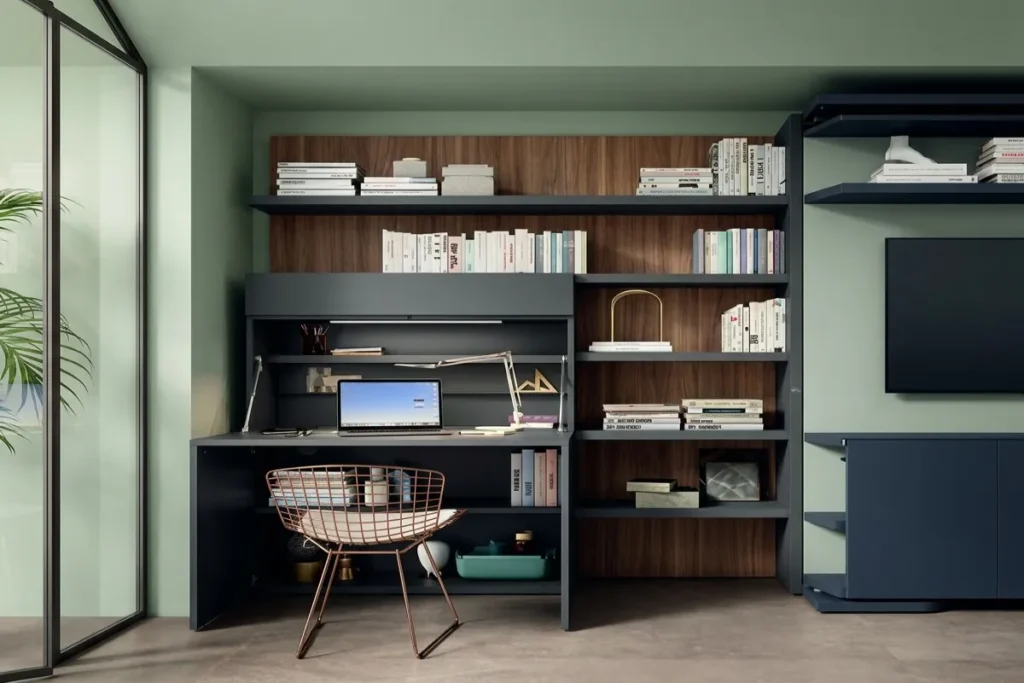
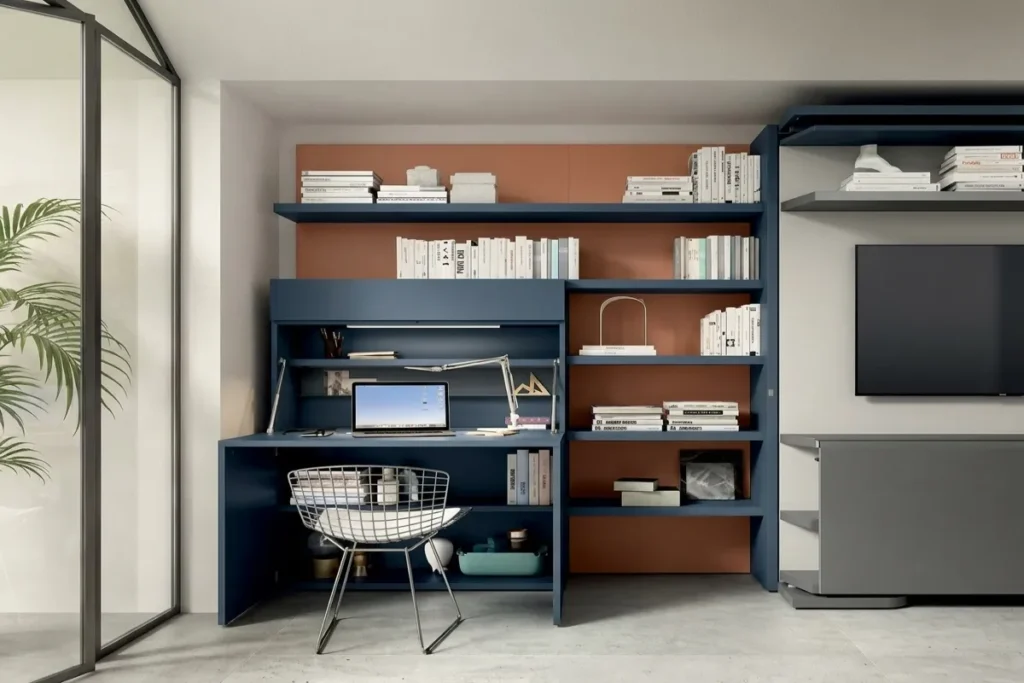
For micro-apartments, guest bedrooms, or hallway nooks, wall-mounted Murphy desks offer an exceptional space ratio. When folded up against the wall, these units present a sleek cabinet, decorative mirror, or art panel that protrudes fewer than five inches into the room. When opened, the front panel drops down on heavy-duty hydraulic hinges to reveal a fully functional computer desk complete with internal shelving, cable passthroughs, and dimmable LED task lighting.
3. Cabinet and Credenza Hybrid Workstations
Ideal for open-concept living rooms, cabinet hybrid desks disguise a complete professional workstation inside an elegant piece of living room furniture. During the evening, the unit looks like a Scandinavian-style sideboard or oak credenza. During work hours, sliding doors retract, an extension leaf pulls out to support dual monitors, and built-in power outlets fire up your workstation. Once the workday concludes, you close the doors, concealing your laptop, documents, and monitors completely out of sight.
4. Modular and Expandable L-Shaped Desks
Modular systems cater to creators, engineers, and power users who require substantial surface area but need flexible layouts. These multi-functional desks feature rolling side carts, flip-up side leaves, or swivel components that rotate 90 to 180 degrees. You can configure the desk as a compact straight desk during routine tasks, swing out the side leaf into an L-shape for intensive multi-monitor sessions, or fold the extensions away when hosting guests.
5. Tech-Integrated Smart Desks
Designed specifically for digital creators, developers, and tech enthusiasts, smart desks embed technology directly into the construction materials. The desk surface itself acts as a control center, featuring touch-capacitive control panels, integrated high-fidelity speakers, built-in USB-C Power Delivery ports, and motorized hidden drawers that lock via fingerprint scanners or mobile app authentication.
Key Features to Evaluate Before Buying
Selecting the right multi-functional workspace requires evaluating mechanical specifications, structural stability, and build materials.
- Motor Engineering & Lifting Capacity: Look for dual-motor or quad-motor systems equipped with anti-collision sensors. Single-motor desks struggle under asymmetric loads and raise slowly. A high-quality motor system should operate under 45 decibels and lift at least 220 to 350 pounds effortlessly.
- Height Range & Memory Presets: Ensure the height range accommodates both your seated and standing elbow height. The ideal range spans from 25 inches (for shorter seated heights) up to 50 inches. Built-in digital controllers should offer at least 3 to 4 programmable memory presets so you can return to your exact preferred heights with a single touch.
- Cable Routing Architecture: A true multi-functional workstation must solve the cable problem. Prioritize models featuring under-desk tray channels, spine-style cable conduits that flex as the desk rises, and built-in power strips with surge protection.
- Material Durability & Environmental Impact: Choose desktops crafted from solid hardwoods (such as walnut or oak), sustainable bamboo, or high-density Birch plywood with scratch-resistant powder coatings. Avoid ultra-cheap hollow particleboard, which sags under monitor mounts and degrades quickly after repeated assembly.
- Integrated Storage & Accessory Ecosystems: Look for magnetic steel frames or built-in tracks beneath the desktop. These allow you to snap on modular accessories—such as headphone hangers, CPU holders, document trays, and cable clips—without drilling holes into your desk.
Direct Comparison: Multi-Functional Desks vs. Traditional Desks
| Feature / Metric | Standard Traditional Desk | Wall-Mounted Murphy Desk | Motorized Storage Hybrid Desk | Modular L-Shaped Smart Desk |
| Footprint Efficiency | Low (Fixed footprint) | Exceptional (0 sq ft floor space when closed) | High (Compact, convertible) | Moderate to High (Adjustable angles) |
| Ergonomic Adaptability | Poor (Static height) | Moderate (Fixed height) | Superior (Sit-stand range) | Superior (Customizable layout) |
| Storage Capacity | High (Basic fixed drawers) | Low to Moderate (Cubby style) | Moderate (Hidden compartments) | High (Modular carts & drawers) |
| Cable Management | Poor (Exposed wires) | Moderate (Internal cutouts) | Superior (Enclosed channels) | Superior (Integrated power hub) |
| Est. Weight Capacity | 100 – 200 lbs | 50 – 100 lbs | 250 – 350 lbs | 300 – 450 lbs |
| Ideal Room Type | Dedicated Home Office | Studio Apartment / Bedroom | Multi-use Living Room | Corner Office / Creative Studio |
How to Style and Optimize Your Multi-Functional Desk Setup
Buying a versatile desk is only the first step. Configuring your hardware, lighting, and accessories properly ensures you get the absolute maximum utility out of your investment.
1. Implement Floating Display Mounts
To preserve valuable desktop space, avoid using factory monitor stands. Clamp a dual-arm or single-arm gas-spring monitor mount to the rear edge or grommet hole of your desk. Floating your monitors off the surface frees up significant room underneath for notebooks, keypads, or desk organizers, maintaining a clean aesthetic.
2. Streamline Power with a Single-Cable Thunderbolt Dock
If you work from a laptop, eliminate cord clutter by mounting a Thunderbolt 4 or Thunderbolt 5 docking station directly underneath your desktop. Connect your display cables, power adapter, internet connection, and peripherals directly into the hidden dock. A single cable then runs up to your laptop, delivering power, video, and data while keeping your desktop 99% wireless.
3. Layer Your Lighting for Work and Ambiance
Lighting dramatically impacts focus and mood. Avoid harsh overhead lighting that reflects off your monitors. Instead, combine three targeted light layers:
- Monitor Light Bar: Mount a light bar on top of your display to illuminate your desk surface without creating screen glare.
- Warm Ambient Backlighting: Install an LED strip behind the rear edge of the desk casting a soft 2700K warm glow against the wall to reduce eye strain during evening sessions.
- Accent Lighting: Place a small, cordless battery-powered lamp on an open shelf to add warmth when the desk is folded or converted into living room mode.
4. Create a 30-Second “End of Day” Transition Routine
One of the primary mental benefits of multi-functional desks is the ability to signal the end of the workday. Establish a rapid shutdown routine: slide your keyboard into a hidden tray, dock your laptop in a vertical stand, close cabinet doors, or fold up the Murphy panel. Physically hiding your work tools creates a clear mental boundary between professional hours and personal relaxation time.
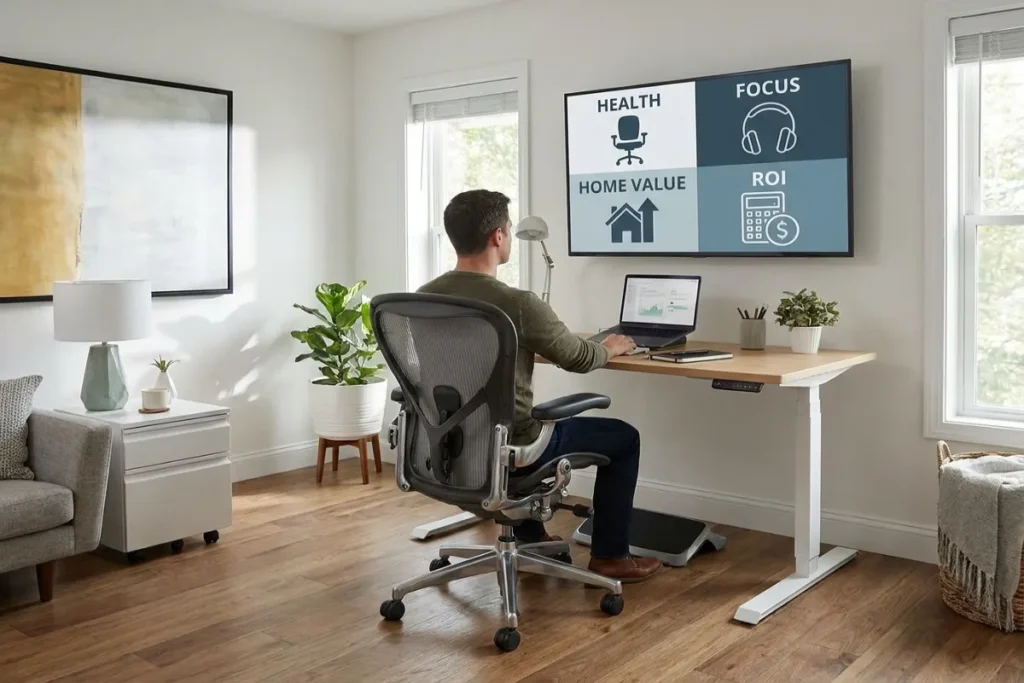
The ROI of Versatile Office Furniture: Health, Focus, and Home Value
Investing in flexible furniture delivers tangible dividends across your physical health, mental clarity, and property utility.
1. Physical Posture and Musculoskeletal Health
Sitting continuously for eight hours compresses intervertebral discs, slows down metabolic rate, and tightens hip flexors. Alternating between sitting for 45 minutes and standing for 15 minutes restores spinal alignment, encourages blood circulation, and burns additional calories. By effortlessly facilitating movement, adaptable workstations eliminate the physical exhaustion associated with sedentary desk jobs.
2. Cognitive Focus and Clutter Reduction
Psychological research confirms that visual clutter directly drains cognitive processing capacity. Exposed wires, stacked paper stacks, and crowded surfaces create constant micro-distractions that force your brain to work harder to maintain attention. Built-in storage conduits and fold-away panels ensure that your visible environment remains calm, organized, and conducive to deep flow states.
3. Unlocking Multi-Use Square Footage
In high-cost urban real estate markets, every square foot of living space carries significant monetary value. Dedicating 30 square feet solely to a traditional desk that is only used part-time wastes valuable living area. Utilizing multi-functional desks effectively reclaims that space, allowing a single room to comfortably function as a bedroom, workout area, or living room without feeling cramped or cluttered.
To stay ahead of the latest home office innovations, ergonomics, and smart home technology, visit thetekworld.com. You will find comprehensive hardware reviews, workspace design guides, and step-by-step tech tutorials crafted to elevate your remote work environment.
Frequently Asked Questions (FAQ)
1. Are multi-functional sit-stand desks sturdy enough for heavy equipment?
Yes. High-quality motorized desks constructed with heavy-gauge steel frames and dual or quad motors are exceptionally stable. Look for models rated for 250 to 350 pounds. When configured properly with gas-spring monitor arms, they experience minimal wobble even at full standing heights.
2. How do I manage cables on a desk that folds up against the wall?
Wall-mounted and folding desks typically feature built-in interior cutouts and recessed channels behind the backboard. By mounting a slim power strip inside the cabinet cavity and using coiled or flexible braided cable sleeves, wires flex smoothly inside the frame when closed without getting pinched or binding hinges.
3. What is the minimum recommended room depth for an adjustable multi-functional desk setup?
To sit comfortably, roll out a chair, and raise the desk without hitting walls or surrounding furniture, you need a minimum depth clearance of 48 to 60 inches from the wall to the nearest obstruction.
4. Can I install a wall-mounted Murphy desk into drywall without studs?
No. Wall-mounted drop-down desks require secure anchoring directly into wooden or steel wall studs, or solid masonry/concrete walls. Because levers and downward pressure are applied when leaning or typing on the desktop, relying solely on drywall anchors risks pulling the unit out of the wall and damaging your equipment.
5. How do I maintain and clean a tech-integrated wooden desktop?
Clean natural wood surfaces using a soft microfiber cloth dampened slightly with warm water and mild soap. Avoid abrasive chemical sprays or harsh solvents, which strip protective wax and polyurethane coats. For tech components (such as wireless charging pads or touch controllers), disconnect power and wipe gently with a dry static-free microfiber cloth.

Comments