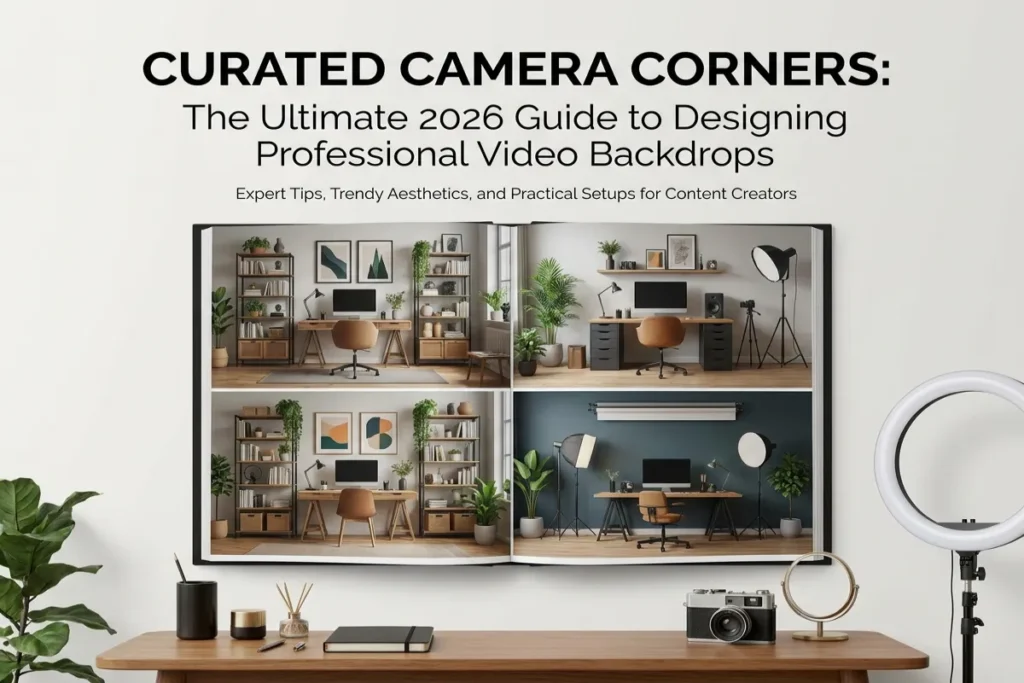
In the digital landscape of 2026, the 16:9 frame captured by your webcam is no longer just a window into your room—it is your physical business card, your executive corner office, and your non-verbal handshake. Whether you are pitching high-value clients, leading cross-functional remote teams, streaming content, or interviewing for C-suite roles, your on-camera environment communicates your professional standards before you speak a single word.
Stickwoll Tiles
For years, remote professionals relied on quick fixes: heavy background blurs, glitchy green screens, or generic AI virtual backgrounds. However, virtual filters come with obvious drawbacks—halo artifacts around your hair, erratic flickering when you move your hands, and an underlying sense of artificiality that subtlely undermines trust.
Woodstock Furniture & Mattress Outlet+ 1
The modern solution is the implementation of Curated Camera Corners. By intentionally designing, lighting, and arranging the specific physical corner or wall visible behind your desk, you create an authentic, visually engaging backdrop that projects authority, calm, and meticulous attention to detail. In this comprehensive guide, we will unpack the environmental psychology, lighting architecture, spatial framing, and interior styling needed to build a studio-grade video call environment in your home or workspace.
Stickwoll Tiles
Table of Contents
The Environmental Psychology of the On-Camera Frame
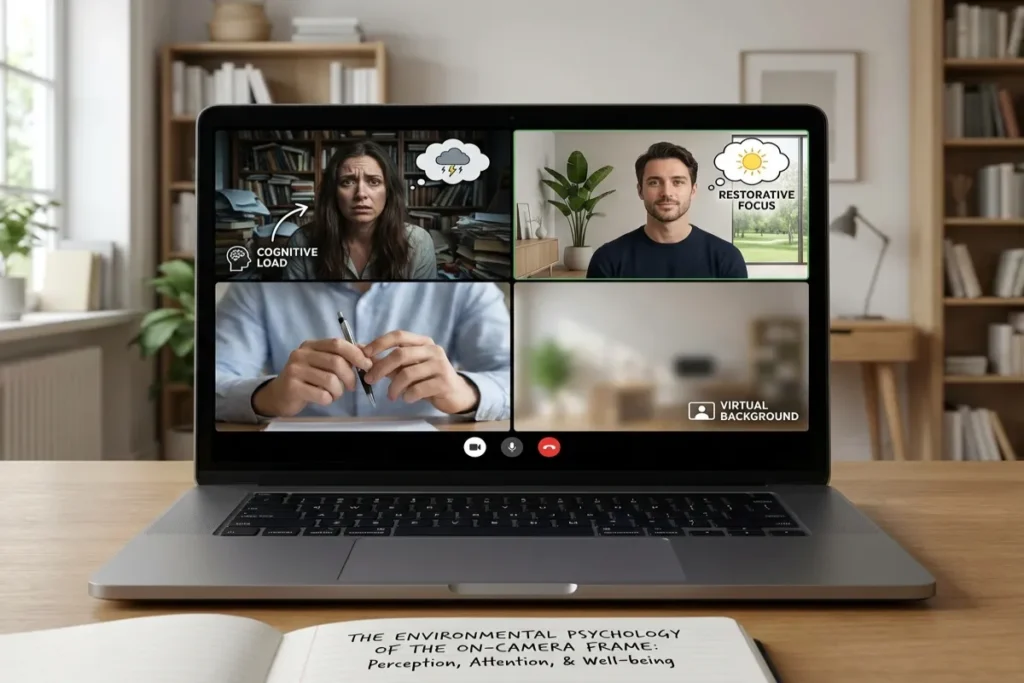
Why does your background matter so much in modern virtual communications? The answer lies in human cognitive processing and environmental psychology.
Psychologists frequently cite the “Halo Effect”—a cognitive bias where an observer’s overall impression of a person influences their feelings and thoughts about that person’s character or competence. When colleagues or clients see a cluttered, dark, or chaotic room behind you, their brains automatically link that visual disorganization with your work habits. Conversely, a clean, balanced, and thoughtfully curated backdrop signals self-discipline, clarity of thought, and executive presence.
Stickwoll Tiles
+-----------------------------------------------------------------------+
|                        THE 16:9 VISUAL FRAME                          |
|                                                                       |
|   [Background Left]          [Subject / You]       [Background Right] |
|   - Soft Wall Texture        - Centered Eye-Line   - Vertical Plant   |
|   - Accent Lighting Bar      - Key Light Off-Axis  - Floating Shelf   |
|   - Deep Matte Color         - Clean Foreground    - Subtle Book Stack|
|                                                                       |
+-----------------------------------------------------------------------+
Eliminating Cognitive Friction
When a meeting participant speaks to you on video, their visual cortex constantly scans the background. High-contrast distractions—such as an open closet door, an unmade bed, tangled cables, or high-gloss frames reflecting room lights—create visual noise. This forces your audience’s brain to process irrelevant stimuli, leading to cognitive fatigue.
Stickwoll Tiles+ 1
Establishing Curated Camera Corners eliminates this cognitive friction. By controlling every visual element within the camera’s angle of view, you guide the viewer’s focus back to where it belongs: your face, your expressions, and your message.
Stickwoll Tiles
Core Design Principles for Curated Camera Corners
Creating a captivating video environment is not about filling shelves with random knick-knacks or buying expensive art. It is an exercise in restraint, spatial depth, texture, and geometry.
Woodstock Furniture & Mattress Outlet+ 1
1. Depth and Spatial Separation
The single biggest mistake remote workers make is pushing their desk flat against the back wall, placing themselves inches away from the surface behind them. This results in a flat, passport-photo aesthetic with harsh shadows cast directly onto the wall.
Woodstock Furniture & Mattress Outlet
To create a professional look:
- Maintain Distance: Position your seat at least 3 to 5 feet away from the back wall whenever room layout permits. Woodstock Furniture & Mattress Outlet
- Optical Separation: Creating physical distance allows your camera lens—especially if using a DSLR or mirrorless camera with a fast lens—to render a soft, natural background blur (bokeh) while keeping you razor-sharp in the foreground. Woodstock Furniture & Mattress Outlet
- Shadow Control: Pushing the wall back ensures that your key lighting illuminates you without throwing dark, distracting shadows onto the background decor. Woodstock Furniture & Mattress Outlet
2. Matte Surfaces and Light Reflectance Value (LRV)
Light reflection is the enemy of digital video cameras. Shiny wall paints, glossy glass picture frames, and polished metal accents catch room lights and create harsh flare spots.
Stickwoll Tiles
- Paints: Always choose Flat, Ultra-Matte, or Eggshell finishes for your camera background wall. Stickwoll Tiles
- Color Selection: Pay attention to Light Reflectance Value (LRV). Pure white walls (LRV 85-90+) cause webcams to auto-expose improperly, washing out the background and underexposing your face. Extremely dark charcoal or black walls (LRV under 10) absorb all light, making you look like you are sitting in a cave. Stickwoll Tiles
- The Sweet Spot: Select warm, muted mid-tones with an LRV between 30 and 55. Colors like sage green, dusty slate blue, warm terracotta, or rich greige provide excellent contrast against skin tones while keeping webcam exposures stable. Stickwoll Tiles
3. Purposeful Asymmetry and the Rule of Thirds
Symmetry can look overly rigid or staged on video. Incorporating purposeful asymmetry feels more natural and organic.
Woodstock Furniture & Mattress Outlet
If your head is positioned in the center third of the frame, balance the left and right background zones with varying heights and textures. For example, place a tall, vertical snake plant on the left side and a floating wood shelf with a horizontal book stack and ceramic bowl on the right. This maintains balance without looking repetitive.
Woodstock Furniture & Mattress Outlet
Lighting Architecture: The Engine of On-Camera Polish
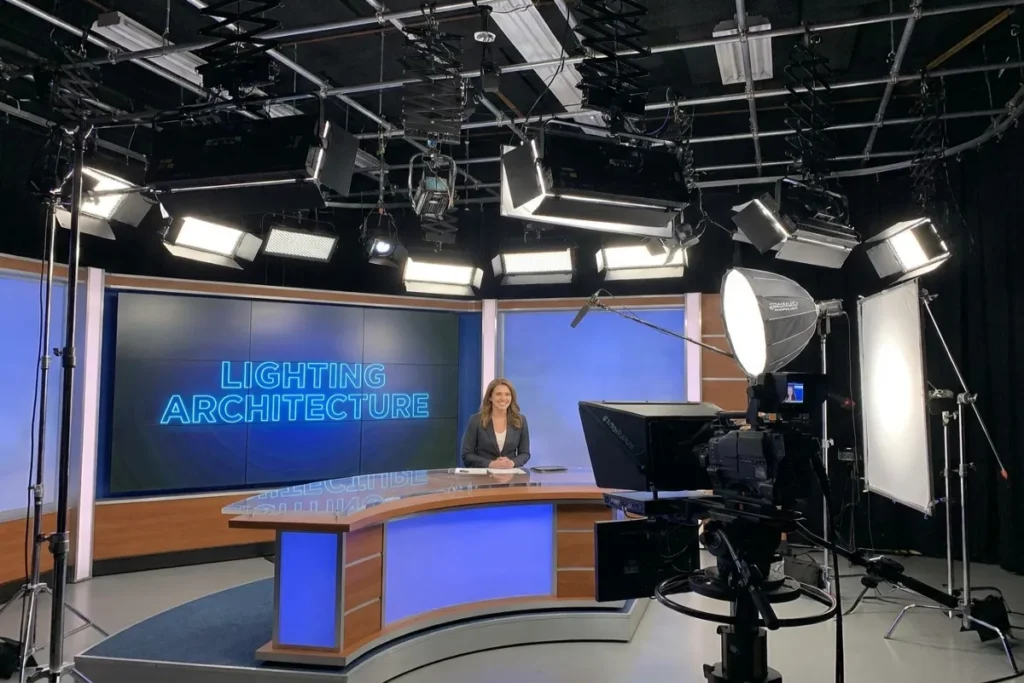
Even the most thoughtfully designed backdrop will look dull and grainy without proper lighting. Video sensors require ample, controlled light to eliminate digital noise and deliver crisp colors.
Dan Sanchez+ 1
Designing Curated Camera Corners requires separating your lighting plan into two distinct categories: subject lighting (lighting you) and environment lighting (lighting the space).
Stickwoll Tiles
                      [Background Wall]
                   /                     \
        [Background Light]         [Accent Plant / Shelf]


                           [YOU]
                       /          \
            [Key Light]            [Fill / Rim Light]
           (Soft/Large)             (Warm Color Temp)


                         [Webcam]
The Three-Layer Lighting Framework
Layer 1: The Subject Key Light
Your primary light source should sit in front of you, elevated slightly above eye level and angled down at 45 degrees. Use a large softbox or a diffused key light to wrap soft, flattering light across your face, eliminating harsh under-eye shadows. Never rely on bare overhead ceiling lights, which create unflattering eye-socket shadows.
Woodstock Furniture & Mattress Outlet
Layer 2: Background Ambient Light
To prevent your background from looking flat or dark, introduce dedicated ambient lighting directed at the back wall. A soft up-light placed behind your desk or a warm LED bar washing up a textured wall adds depth and dimension.
Dan Sanchez
Layer 3: Practical Accent Lights
“Practicals” are light sources visible within the camera frame, such as a stylish mid-century desk lamp, an architectural sconce, or subtle LED strip channels integrated under floating shelves. Practical lights add warmth, personality, and visual interest to the scene. Ensure these bulbs are dimmable and kept at low intensity so they do not blow out the camera sensor.
Stickwoll Tiles+ 1
| Lighting Element | Recommended Color Temp (Kelvin) | Function / Purpose | Ideal Placement |
|---|---|---|---|
| Key Light | 4000K – 5000K (Daylight / Cool White) | Illuminates the face accurately without color cast | 45° off-axis in front of subject, eye level |
| Fill / Ring Light | 3500K – 4000K (Neutral White) | Softens harsh shadows created by the key light | Opposite side of key light, lower intensity |
| Background Wash | 3000K – 3500K (Warm White) | Illuminates wall texture and separates subject from wall | Hidden behind desk pointing upward |
| Practical Lamp | 2200K – 2700K (Amber / Warm Glow) | Adds cozy aesthetic appeal directly in frame | On side credenza or floating shelf |
4 Signature Styles for Curated Camera Corners
To help you design your space, here are four distinct, proven aesthetic blueprints tailored to different professional roles and space constraints.
Stickwoll Tiles
+--------------------------------------------------------------------------+
|                       4 SIGNATURE STYLE PALETTES                         |
|                                                                          |
|   1. EXECUTIVE ZEN         2. TECH & CREATIVE   3. BIOPHILIC HAVEN      |
|   - Muted Slate Blue       - Charcoal Wood Slat - Warm Oak & Terracotta |
|   - Brushed Brass Accents  - RGB Tube Accents   - Trailing Pothos Vines |
|   - Minimalist Canvas      - Floating Display   - Woven Linen Textures  |
|                                                                          |
|   4. RENTER-FRIENDLY NOOK                                                |
|   - Peel-and-Stick Tiles   - Foldable Screen    - Portable Warm Ring    |
+--------------------------------------------------------------------------+
Style 1: The Executive Zen (Best for Corporate Leaders, Legal & Finance)
- Vibe: Sophisticated, calm, authoritative, structured. Stickwoll Tiles
- Wall Finish: Deep navy, slate gray, or rich forest green matte paint. Stickwoll Tiles
- Key Decor Elements: A symmetrical layout featuring built-in dark wood shelving, 3-4 hardcover leather-bound books stacked horizontally, a minimalist brass mantle clock, and a single large-format framed abstract canvas (using non-reflective acrylic glass). Woodstock Furniture & Mattress Outlet
- Lighting: Soft warm background wash paired with a sleek brass architectural practical lamp. Stickwoll Tiles
Style 2: The Tech & Creative Studio (Best for Developers, Designers & Streamers)
- Vibe: Modern, dynamic, innovative, precise.
- Wall Finish: Dark acoustic wood-slat wall paneling (walnut or black oak on acoustic felt).
- Key Decor Elements: Linear architectural elements, floating geometric shelves showcasing tech collectibles or awards, and a mounted ultrawide monitor running custom ambient artwork or code loops in the background.
- Lighting: Concealed smart RGB LED strips behind the acoustic panels, set to subtle accent colors (such as deep cyan or warm amber) to create contrast against the dark wood. YouTube
Style 3: The Biophilic Haven (Best for Coaches, Consultants & Wellness Pros)
- Vibe: Organic, approachable, refreshing, grounded. Stickwoll Tiles
- Wall Finish: Muted sage green or warm cream plaster texture. Stickwoll Tiles
- Key Decor Elements: Natural light oak floating shelves, a variety of indoor foliage (such as a trailing pothos, a structured fiddle leaf fig, or a tabletop Monstera), terracotta pottery, and woven jute wall hangings. Stickwoll Tiles
- Lighting: Natural daylight supplemented by soft 3000K warm LED light bars highlighting plant leaves. Stickwoll Tiles
Style 4: The Renter-Friendly Nook (Best for Apartments & Multi-Use Bedrooms)
- Vibe: Flexible, space-saving, clean, adaptable. Stickwoll Tiles
- Wall Finish: Temporary peel-and-stick textured wallpaper (such as faux linen or subtle geometric motifs). Stickwoll Tiles
- Key Decor Elements: A lightweight folding wooden room divider screen or a small corner shelf unit that can be easily repositioned. Dan Sanchez
- Lighting: Clamp-on LED panel lights attached directly to the desk or monitor arm to keep floor space clear. Woodstock Furniture & Mattress Outlet
Technical Camera Setup and Focal Length Dynamics
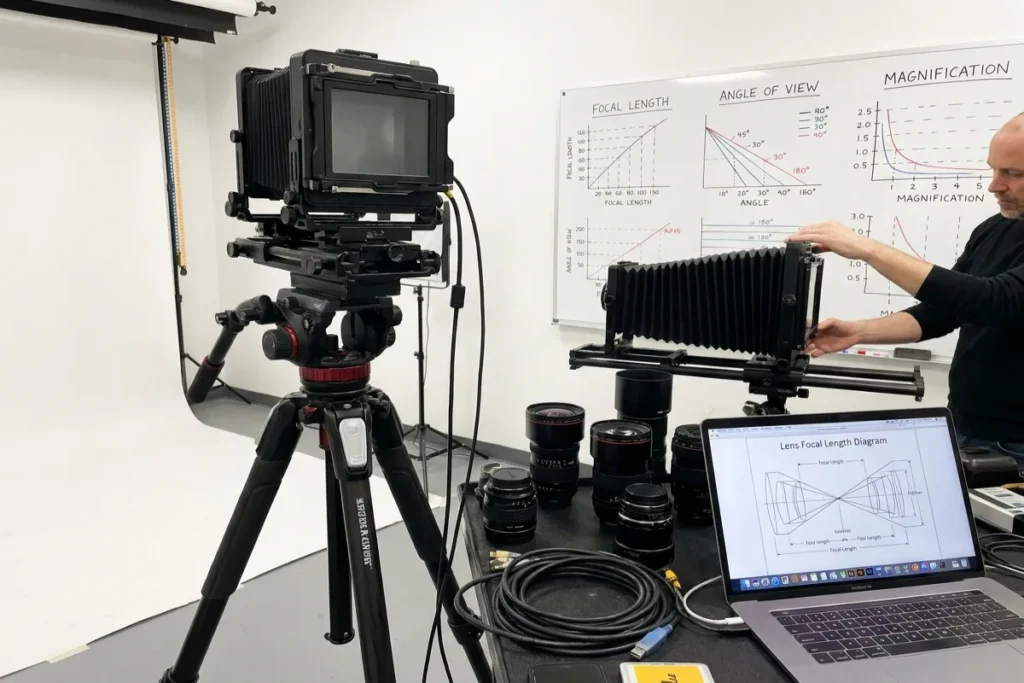
Designing physical Curated Camera Corners is only half the equation; how your camera captures the space determines the final image quality.
Stickwoll Tiles
+--------------------------------------------------------------------------+
|                       OPTICAL FOCAL LENGTH GUIDE                         |
|                                                                          |
|   24mm Wide Lens          35mm Balanced Lens       50mm Portrait Lens    |
|   [Wide & Distortion]     [Ideal Environmental]    [Tight & Compressed]  |
|   Shows entire room,      Captures curated corner  Requires deep room,   |
|   distorts wall edges.    with natural perspective. highly blurred wall. |
+--------------------------------------------------------------------------+
Lens Choice and Background Compression
The focal length of your camera lens dictates how much of your background wall is visible and how compressed it appears.
Woodstock Furniture & Mattress Outlet
- Wide Lenses (16mm – 24mm equivalent): Standard laptop webcams use ultra-wide lenses. These capture an excessively wide field of view, forcing you to decorate an entire room wall rather than just a corner. They also cause optical distortion, bending door frames and walls at the edge of the frame. Stickwoll Tiles
- Standard Lenses (35mm equivalent): The ideal middle ground for video calls. A 35mm view frames your head and shoulders comfortably while capturing roughly 4 to 6 feet of background wall, making decor management easy and focused. Woodstock Furniture & Mattress Outlet+ 1
- Portrait Lenses (50mm – 85mm equivalent): These lenses compress space significantly and offer creamy background blur. However, they require you to place the camera 6 to 10 feet away from your desk, which demands a deep room layout. Woodstock Furniture & Mattress Outlet
Camera Height and Angle Positioning
Position your camera directly at eye level or slightly above, tilted down 2 to 3 degrees toward your forehead.
Woodstock Furniture & Mattress Outlet
- Avoid Low Angles: Placing a webcam low on a desk looking up creates an unflattering perspective (often showing ceilings, light fixtures, and chin shadows) and distorts background wall vertical lines. Woodstock Furniture & Mattress Outlet
- Avoid High Angles: Mounting a camera too high makes you look small in the frame and cuts off the lower half of your curated background decor.
Actionable Tips for Maintaining a Flawless Frame
Once your backdrop is set up, maintaining its polished appearance requires routine attention.
Woodstock Furniture & Mattress Outlet
- Run a Weekly Frame Audit: Open your webcam software before your first meeting of the week. Look at the outer edges of the 16:9 frame. Check for stray power cables, out-of-place papers, or dust accumulation on shelves and plant leaves. Woodstock Furniture & Mattress Outlet
- Cable Management Discipline: Use adhesive under-desk cable channels, velcro sleeves, and wall-matched raceways to completely hide power cords running to practical lamps or background tech. Visible dangling cords immediately spoil an otherwise pristine setup.
- Color Match Your Wardrobe: Ensure your daily work attire contrasts with your background wall paint. If your wall is dark navy, avoid wearing black or navy tops to prevent blending into the background. Choose complementary colors (such as a rust or cream sweater against a navy wall) to stand out clearly in the foreground. Stickwoll Tiles
- Keep Foliage Fresh: If using live plants in your background, inspect them regularly for drooping or dead leaves. Unhealthy plants convey neglect; keep them pruned, watered, and dusted. Woodstock Furniture & Mattress Outlet
Common Mistakes to Avoid
| Common Mistake | Why It Ruins the Frame | The Quick Fix |
|---|---|---|
| Glare from Glass Frames | Creates blinding bright spots on camera | Swap standard glass for non-reflective museum glass or gallery-wrapped canvases. |
| Overcrowded Shelves | Looks chaotic and draws attention away from you | Apply the “50% Rule”: leave half of every shelf surface completely empty. |
| Uncovered Windows Behind You | Causes severe backlighting, turning you into a dark silhouette | Use blackout roller blinds or reposition your desk to face the window. |
| Ceiling Fans in Frame | Rotating blades create motion distraction in the top corner | Adjust camera framing downward or move the fan out of the field of view. |
| Clashing Color Temps | Mixing cool daylight bulbs with amber lamps creates odd color casts | Standardize your background lights to 3000K-3500K warm white. |
Elevate Your Remote Workspace with The Tek World
Designing an exceptional video setup is an investment in your career, personal brand, and day-to-day confidence. Transitioning from artificial blur filters to authentic, beautifully styled physical spaces transforms every virtual meeting into an opportunity to showcase your professionalism.
Stickwoll Tiles
Looking for the best gear to complete your home studio setup? At thetekworld.com, we publish in-depth reviews, hands-on testing, and hardware roundups covering 2026’s top-rated webcams, studio lighting setups, acoustic wall panels, and ergonomic desk accessories. Explore our guides today and build a workspace that looks as sharp as you perform!
Frequently Asked Questions (FAQ)
1. How do I build a curated camera corner in a tiny room or shared space?
In compact or multi-use spaces (such as a bedroom office), focus entirely on the narrow 4-to-5-foot zone directly behind your chair. Use a multi-panel wooden room divider, a stylish floor-standing acoustic screen, or a renter-friendly peel-and-stick accent wall behind your desk. This isolates your video background from the rest of the room without taking up extra square footage.
Stickwoll Tiles
2. Are real plants better than artificial plants for video call backgrounds?
Real indoor plants (like snake plants, ZZ plants, or pothos) improve home office air quality and provide authentic organic texture. However, if your video setup receives minimal natural sunlight, high-quality faux silk plants are an acceptable alternative. Just ensure they have a matte finish—glossy plastic plants look artificial under studio lights.
Stickwoll Tiles+ 1
3. What camera focal length provides the best background look for video calls?
A 35mm-equivalent lens offers the ideal balance for home office video. It provides a natural perspective without distortion, frames your upper body comfortably, and keeps the background focused on your curated wall rather than pulling in the entire room.
Woodstock Furniture & Mattress Outlet+ 1
4. How much does it cost to set up a professional curated camera corner?
You can build a stylish setup on almost any budget. A DIY renter-friendly setup using peel-and-stick wallpaper, a warm LED task lamp, and a plant costs under $150. A high-end studio setup featuring acoustic wood-slat paneling, dedicated key lighting, mirrorless camera optics, and custom floating shelves ranges between $500 and $1,500+.
Stickwoll Tiles
5. Why are physical camera corners better than AI virtual backgrounds?
Physical backgrounds offer superior visual quality, authentic lighting, and natural depth. AI virtual backgrounds often glitch around your head and hands, consume high computer CPU/RAM resources, and can convey a lack of transparency. A physical, well-lit backdrop communicates authenticity, effort, and attention to detail.

Comments