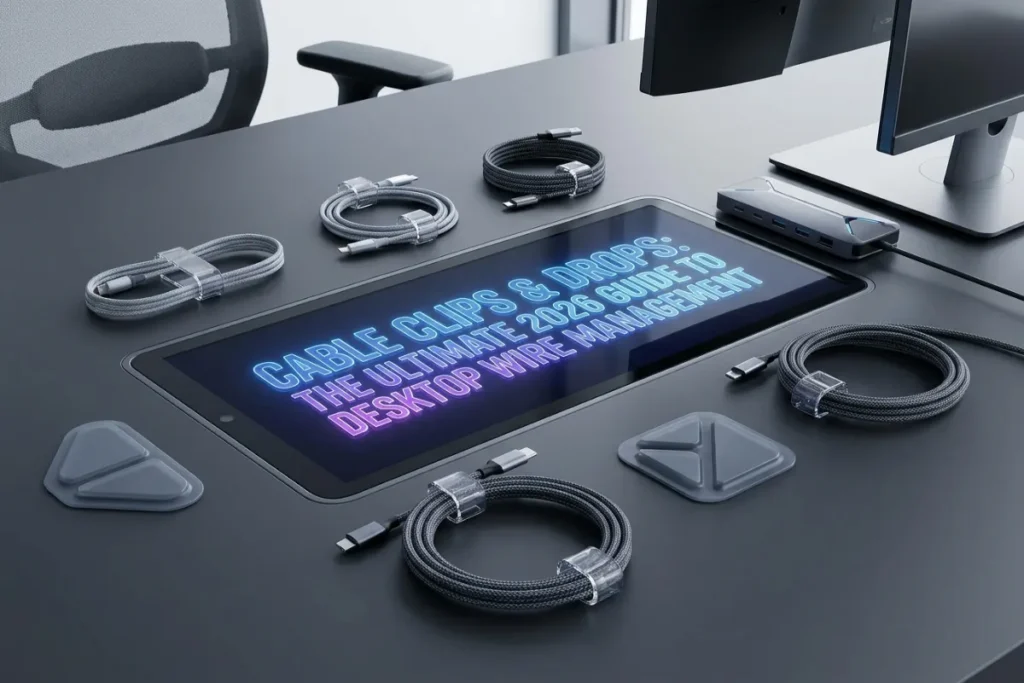
Every remote worker, gamer, and digital professional knows the daily frustration: you unplug your phone, laptop, or wireless headphones, and the charging cable immediately slides off the back of your desk and falls into the dark, dusty void behind your furniture.
Retrieving it requires crawling under your desk, tangling your arm in power cords, and fishing out the connector. Beyond this daily inconvenience, unanchored wires create visual clutter, twist into knots, and place unnecessary stress on internal copper wiring.
In 2026, keeping your charging lines, USB cables, and peripherals perfectly positioned requires simple precision tools: Cable Clips & Drops.
By anchoring every wire securely to your desk edge, nightstand, or wall baseboard, using Cable Clips & Drops ensures your essential connectors remain right where you need them while creating a clean, professional environment. This complete guide breaks down the mechanisms, adhesive technologies, material choices, room layouts, and practical tips needed to master desktop wire management.
Cable Sleeves: The Ultimate 2026 Guide to Seamless Cable Management
Table of Contents
The Hidden Power of Anchor Points: Why Cable Clips & Drops Matter
While large cable management setups like under-desk trays and braided sleeves handle bulk power runs beneath your desk deck, they don’t solve the “surface drop” problem.
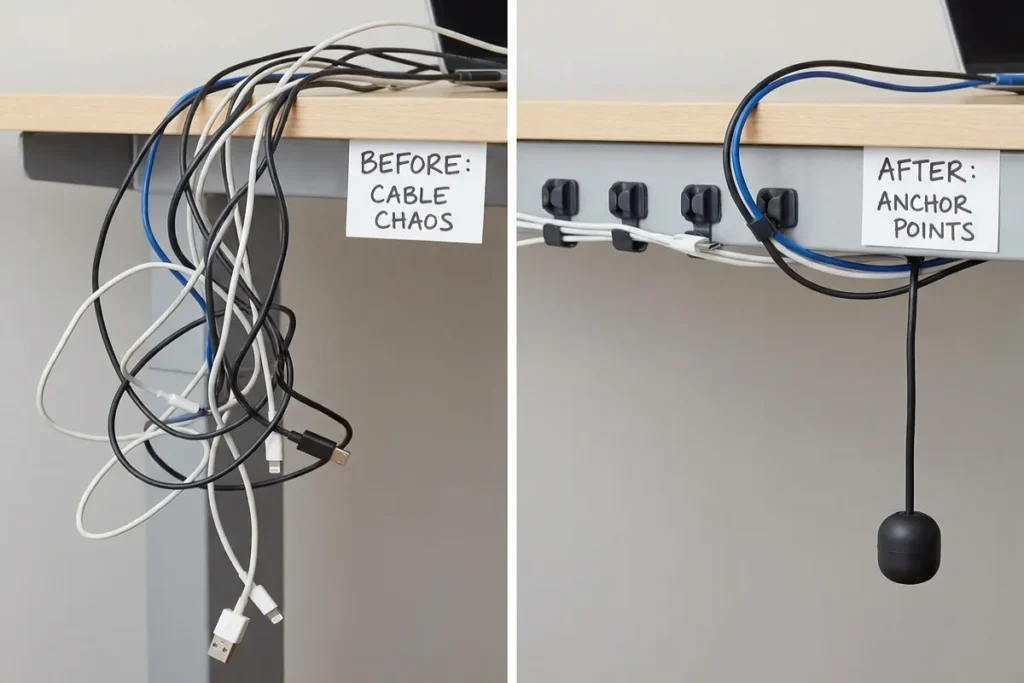
Whenever a device is disconnected from its power or data line, gravity pulls the loose cord off flat surfaces. Cable Clips & Drops act as dedicated anchor points, holding cords ready for immediate re-connection.
+-------------------------------------------------------------------------+
|                UNANCHORED CORDS VS. DESKTOP CABLE DROPS                 |
|                                                                         |
|   UNANCHORED DESKTOP CORDS:                                             |
|   - Connectors slide off desk edges onto dusty floors                   |
|   - Frequent crawling under desks to retrieve fallen chargers           |
|   - Kinked wire jackets from sharp desk edge friction                   |
|   - Visually chaotic desk surface with stray cords everywhere           |
|                                                                         |
|   ANCHORED CABLE CLIPS & DROPS:                                         |
|   - Every charger head remains fixed at the desk edge                   |
|   - Instant one-handed plug-and-play access                             |
|   - Smooth cable strain relief that extends wire lifespans              |
|   - Clean, architectural desk deck with zero loose wire clutter         |
+-------------------------------------------------------------------------+
1. Eliminating Micro-Frustrations and Protecting Cables
Repeatedly dragging chargers over sharp desk edges damages outer PVC jackets and breaks internal copper strands over time. Securing cords within smooth silicone or magnetic drops eliminates friction, extending the life of your chargers and peripherals while removing minor daily annoyances.
2. Streamlining Desktop Workflows
A clean workspace fosters mental clarity. Securing laptop charging lines, webcam cords, and desktop peripherals along fixed paths reduces visual noise, letting you focus fully on deep, productive work.
Core Types of Cable Clips & Drops
Choosing the right clip depends on your desk material, how often you swap cables, and the size of the cords you are organizing.
+-------------------------------------------------------------------------+
|                  TYPES OF CABLE CLIPS & DROPS                           |
|                                                                         |
|   [1. SILICONE FLEX CHANNEL]  [2. MAGNETIC QUICK-RELEASE]               |
|   - Soft flexible slots       - Magnetic base collar                    |
|   - Friction-fit grip         - One-handed cord release                 |
|   - Great for static chargers - Premium luxury metallic look            |
|                                                                         |
|   [3. HINGED RATCHET CLIPS]   [4. BASEBOARD ROUTING CLIPS]              |
|   - Locking latch design      - Low-profile wall mounting               |
|   - Holds thick wire bundles  - Runs long ethernet & power lines        |
+-------------------------------------------------------------------------+
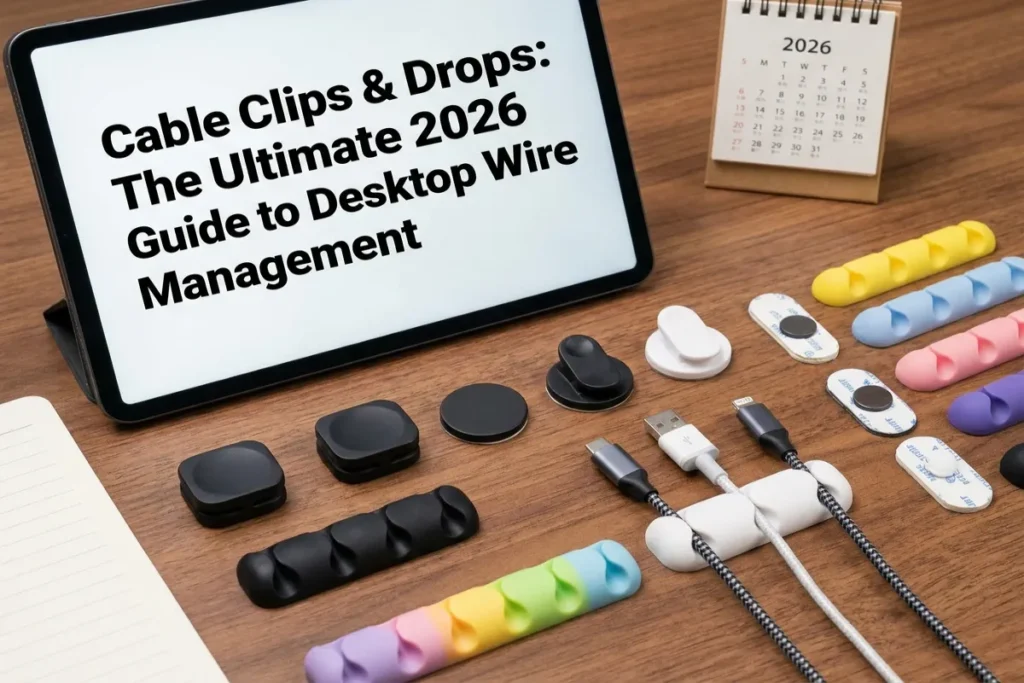
1. Flexible Silicone Multi-Slot Drops
Made from dense, soft-touch silicone, these drops feature weighted bases and pre-molded channel slots. Cords press into the top slots and sit securely in place. They work well on desk edges, nightstands, and side tables for holding phone and tablet chargers.
2. Magnetic Quick-Release Cable Drops
Magnetic cable drops feature a small magnetic collar that clamps onto your cable and docks onto a sleek, adhesive-backed metal base strip. They offer effortless one-handed operation: lift the cable to use your device, then bring it near the base plate to snap it back into place magnetically.
3. Hinged Locking Ratchet Clips
For heavy power cables or thick ethernet runs beneath desks and along walls, hinged ratchet clips offer high strength. They feature an adjustable locking mechanism that snaps closed over multiple wires, holding them tightly against furniture frames or baseboards.
Cable Clips Selection Matrix
Compare key performance characteristics across different clip designs to choose the best option for your workspace setup:
| Clip Design | Primary Material | Mounting Type | Cable Capacity | Ideal Application |
| Silicone Channel Drop | Soft-Touch Silicone | 3M VHB Acrylic Adhesive | 1 to 7 individual cords | Desktop edge charging stations, nightstands |
| Magnetic Docking Collar | Anodized Aluminum / Magnet | Micro-Suction / Adhesive Base | 1 cord per magnetic collar | High-end executive desks, premium nightstands |
| Hinged Ratchet Clip | Durable ABS Plastic | Screw Mount or 3M Adhesive | 3 to 6 thick power/data lines | Under-desk frame routing, standing desk legs |
| Baseboard Nail/Staple Clip | Impact Plastic + Steel Pin | Mechanical Nail Mount | 1 heavy Ethernet / Coax line | Long wall runs, baseboard wire routing |
Interactive Desktop Cable Drop Layout Tool
Determine the exact number of cable drops, silicone channel counts, and mounting placements required for your workspace setup using our interactive calculator below.
Step-by-Step Installation Masterclass
Proper surface preparation is key to ensuring self-adhesive clips stick permanently without damaging expensive furniture finishes.
+-------------------------------------------------------------------------+
|                  ADHESIVE SURFACE PREPARATION PROCESS                   |
|                                                                         |
|   [STEP 1: CLEAN] ------------> Wipe surface with 70% Isopropyl Alcohol|
|                                                                         |
|   [STEP 2: DRY] --------------> Allow surface to dry for 60 seconds     |
|                                                                         |
|   [STEP 3: PRESS] ------------> Apply clip and press firmly for 30 sec  |
|                                                                         |
|   [STEP 4: CURING WAIT] ------> Wait 24 hours BEFORE adding cable tension   |
+-------------------------------------------------------------------------+
1. Clean the Surface Thoroughly
Dust, skin oils, and polish residues prevent adhesives from bonding correctly. Wipe the target mounting area using a microfiber cloth dampened with 70% isopropyl alcohol. Allow the surface to dry completely.
2. Remove the Backing Liner
Peel off the protective adhesive liner without touching the exposed sticky tape with your fingers, as skin oils can weaken the adhesive bond.
3. Press and Hold Firmly
Position the clip and press down firmly for 30 seconds. This pressure activates the acrylic foam adhesive, forcing it to conform to micro-textures on your desk surface.
4. Respect the 24-Hour Curing Window
Do not clip heavy wires into your drops immediately. Acrylic foam adhesives require 24 hours to reach 90%+ bond strength. Letting the adhesive cure undisturbed ensures it won’t pull loose under cord tension later.
5 Practical Steps for Workspace Cable Routing
Follow these five practical steps to build an organized, functional workspace:
- Anchor Mobile Chargers Near Your Dominant Hand: Place a 3-slot silicone drop on the side edge of your desk near your mouse hand. This keeps your phone, tablet, and headphone chargers within easy reach.
- Use Magnetic Drops for High-Touch Devices: Install magnetic cable collars on your primary laptop charging cable. The satisfying snap makes docking your computer effortless when returning to your desk.
- Route Peripherals Along Desk Legs: Use hinged adhesive clips along the inner rear face of your desk legs. Routing power lines down the back of metal legs conceals them from view.
- Incorporate Baseboard Clips for Wall Runs: Use low-profile white baseboard clips to run long ethernet cables along wall trim, keeping floors clear for vacuum cleaners.
- Secure Under-Desk Power Bricks: Apply large cable routing clips to the underside deck of your desk to hold heavy power bricks flush against the wood, keeping them out of footrest zones.
Elevate Your Workspace with The Tek World
Integrating Cable Clips & Drops into your home office or entertainment space is a simple, affordable way to stop chasing fallen chargers and eliminate visual clutter. By securing every wire along clean, intentional paths, you protect your devices and create a streamlined workspace built for focus.
Looking for comprehensive reviews on magnetic cable drops, silicone organizers, standing desk wire clips, and under-desk cable management kits updated for 2026? Visit thetekworld.com for expert buying advice, hardware tutorials, and home office setup guides!
Frequently Asked Questions (FAQ)
1. Will self-adhesive cable clips ruin my expensive solid wood desk when removed?
Quality cable clips using authentic 3M VHB or acrylic foam tape can be safely removed without damaging wood finishes. To remove them safely, warm the clip with a hairdryer on low heat for 30 seconds to soften the adhesive, then slice through the foam tape using a piece of dental floss pulled flat against the wood surface.
2. How do I stop thin USB cables from slipping through large cable drop slots?
If a thin cable slides through a drop slot, slide a small silicone cable collar or wrap a small strip of electrical tape around the cord just below the connector head. This creates a small stopper that keeps the connector resting neatly in the drop channel.
3. Can I use cable clips outdoors or on patio workspaces?
Yes, but you must select clips specifically rated for outdoor use featuring weather-resistant acrylic adhesives and UV-stabilized plastic structures. Standard indoor foam tapes degrade quickly when exposed to direct sun, rain, and temperature shifts.
4. What is the difference between micro-suction bases and traditional adhesive bases?
Traditional adhesive bases use sticky chemical foam tapes designed for semi-permanent mounting. Micro-suction bases use millions of microscopic vacuum suction cups that grip smooth non-porous surfaces (like glass, sealed varnish, or polished marble) tightly without using chemicals—allowing you to wash and relocate the base anytime.
