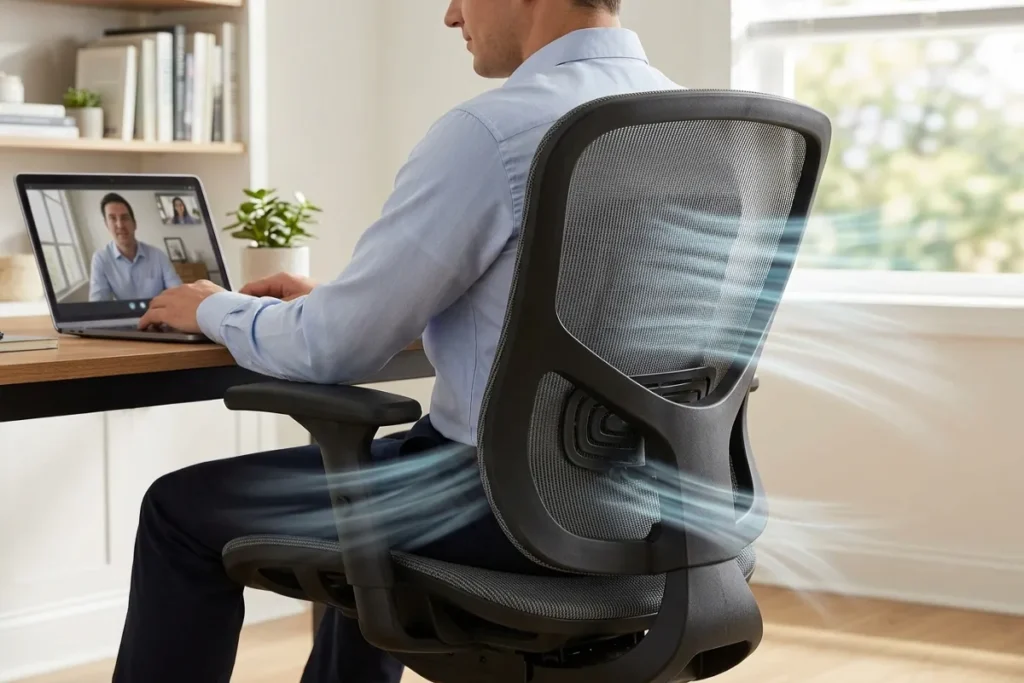
Do you find yourself logging off at the end of a long workday with a stiff neck, tense shoulders, and a nagging ache in your lower back? As remote and hybrid work models solidify their permanence in 2026, millions of professionals are realizing that their makeshift home office setups are actively harming their physical health. Working from the dining table or a rigid, outdated seat is no longer sustainable. When you spend upwards of eight hours a day at a desk, investing in an Awesome Ergonomic Chair is not merely a luxury upgrade—it is a critical necessity for your long-term well-being and daily productivity.
In this comprehensive, expert-led guide, we will explore the revolutionary advancements in office seating that 2026 has to offer. We will break down the essential features you need to look for, review the top-performing models on the market, and provide practical, actionable tips to properly calibrate your workspace. Whether you are a dedicated remote worker, an avid gamer, or a corporate professional upgrading your office, this guide will help you eliminate back pain and transform the way you sit.
The Ultimate Guide to the 48 Best Male Home Office Ideas for 2026
Table of Contents
The Silent Epidemic: The Hidden Costs of Poor Posture
Before diving into the mechanical specifications of modern office furniture, it is crucial to understand the physiological demands of sitting. Human bodies were not designed to remain in a static, seated position for six to ten hours at a time. According to the Occupational Safety and Health Administration (OSHA), maintaining a “neutral” posture—where joints are naturally aligned—is essential for reducing stress on muscles, tendons, and the skeletal system.
When a chair lacks proper structural integrity, your body drifts away from this neutral state. This initiates a “cascading failure chain.” For example, if the foam in your seat pan degrades and loses its resilience, your pelvis naturally tilts backward. This posterior pelvic tilt flattens the natural inward curve of your lumbar spine, drastically increasing the pressure on your intervertebral discs.
This lack of support leads to what clinicians refer to as “static load” fatigue. Your muscles are forced to constantly fire and compensate for the chair’s inadequacies just to keep you upright. This hidden, continuous muscle engagement is a primary contributor to the chronic fatigue and pain reported by a significant portion of the 80 million desk-based employees in the U.S. today. In fact, prolonged static postures combined with poor seating support are leading drivers of Work-Related Musculoskeletal Disorders (WMSDs).
The financial and personal costs of poor posture are staggering. Between chiropractor visits, physical therapy, massage treatments, and lost productivity due to discomfort, sticking with a bad chair is incredibly expensive. Upgrading your workspace is fundamentally an investment in your physical longevity.
Core Technologies Defining the Modern Seating Experience
By 2026, the standard for what constitutes a healthy office environment has shifted dramatically. A truly Awesome Ergonomic Chair now integrates advanced biomechanical engineering to support you dynamically throughout the day. Here are the non-negotiable features you must look for when auditing or purchasing a new chair.
1. Dynamic Adaptive Lumbar Tracking
For decades, office chairs featured a static, rigid bump in the lower backrest. While this offered basic support when sitting perfectly upright, it became useless the moment you leaned forward to type or shifted your weight. This creates the “empty waist” syndrome—a gap between your lower back and the chair that leaves your spine unsupported.
The most significant upgrade in 2026 is the widespread adoption of dynamic, adaptive lumbar tracking systems. These sensor-driven or spring-loaded mechanisms physically move with your spine. Whether you are leaning over your keyboard or reclining to read a document, the lumbar pad maintains constant, fluid contact with your lower back. This floating support ensures that pressure is evenly distributed across your back, encouraging active sitting and vastly reducing the engagement of your core muscles. Furthermore, some premium models now feature a 3-zone split-wing lumbar design, which cushions the natural curve while flexible side wings adapt to reduce lateral strain.
2. Precision Seat Depth and Width Adjustments
A chair can have the best backrest in the world, but if the seat pan doesn’t fit your legs, your posture will suffer. Seat depth adjustment allows you to slide the seat cushion forward or backward. The goal is to allow your back to fully rest against the lumbar support while leaving a gap of two to three fingers between the front edge of the seat and the back of your knees.
If a seat is too deep, it will dig into your calves and cut off blood circulation, forcing you to scoot forward and abandon the backrest entirely. If it is too shallow, your thighs won’t have enough support, placing excess pressure on your hips and lower back. Width adjustments, meanwhile, ensure that the armrests and side bolsters properly align with your specific body frame.
3. Multi-Dimensional (4D and 7D) Armrests
Your arms account for a significant portion of your upper body weight. If they are left dangling or are improperly supported, that weight pulls directly on your neck and shoulder muscles, leading to tension headaches and upper back pain. In 2026, static armrests are obsolete. Look for 4D armrests—which adjust in height, width, depth, and pivot angle—or even 720-degree omni-mechanical armrests that adapt perfectly whether you are typing on a laptop, holding a tablet, or gaming.
4. Advanced Breathable Mesh vs. High-Density Foam
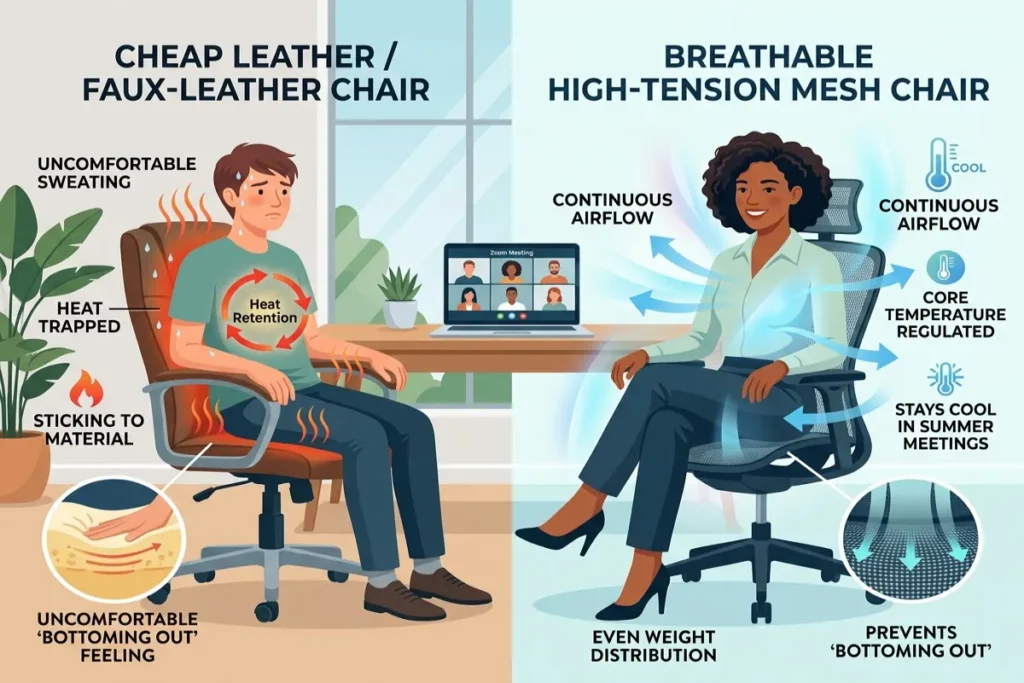
Temperature regulation is a highly underrated aspect of ergonomics. When a workspace lacks proper ventilation, heat and sweat build up against your lower back. This thermal discomfort causes you to instinctively fidget and shift away from the backrest, destroying your aligned posture.
Advanced mesh fabrics have become the default choice for backrests because they allow for continuous airflow, keeping your core temperature regulated even during high-stress meetings or sweltering summer afternoons. While full-mesh chairs are highly popular, many professionals still prefer high-density foam for the seat pan, as it provides firmer, longer-lasting cushioning for full eight-hour workdays.
The 2026 Buyer’s Guide: Top Models to Consider
With a clear understanding of the necessary features, let’s examine the standout models dominating the market in 2026. Whether you have a corporate budget or are outfitting a personal home office, there is a perfect option for you.
The Premium Tier ($1,300 – $2,000)
Haworth Fern: Often regarded as the pinnacle of modern design, the Haworth Fern ($1,300 to $1,800) offers full-back support that mimics the structure of a human spine. It is highly customizable, featuring 4D armrests, dynamic lumbar support, and seat depth adjustments. It is best for professionals seeking a long-term, highly adaptable solution that moves organically with the body.
Herman Miller Aeron: A legendary staple in the ergonomic world, the Aeron ($1,500 to $2,000) remains incredibly relevant. Its patented pellicle mesh material provides unparalleled breathability and tension support. However, it is important to note that the Aeron comes in three fixed sizes (A, B, and C) rather than offering an adjustable seat depth, meaning you must purchase the exact size that fits your body frame.
The Mid-Range Heroes ($700 – $1,500)
Steelcase Leap: The Leap ($1,400 to $1,500) is renowned for its highly flexible backrest that adapts to different sitting positions throughout the day. Its strong adjustability makes it a favorite in shared office environments where multiple users need to customize the chair quickly.
SitOnIt Novo & Haworth Soji: For those seeking an equilibrium between premium features and cost, the SitOnIt Novo ($725 to $1,000) and the Haworth Soji ($700 to $1,000) are exceptional choices. Both offer adjustable lumbar support, customizable arm options, and seat depth adjustments, making them highly cost-effective options for startups or dedicated home offices.
The Tech-Forward & Budget Friendly
Hbada Series: Brands like Hbada have disrupted the 2026 market by offering high-end features at accessible price points. The Hbada E3 Pro features the highly coveted 3-zone lumbar support system for intensive 8+ hour workdays, while the cutting-edge X7 Smart model even integrates AI health sensors that monitor your sitting posture and alert you when it is time to move.
How to Set Up Your Awesome Ergonomic Chair for Maximum Comfort
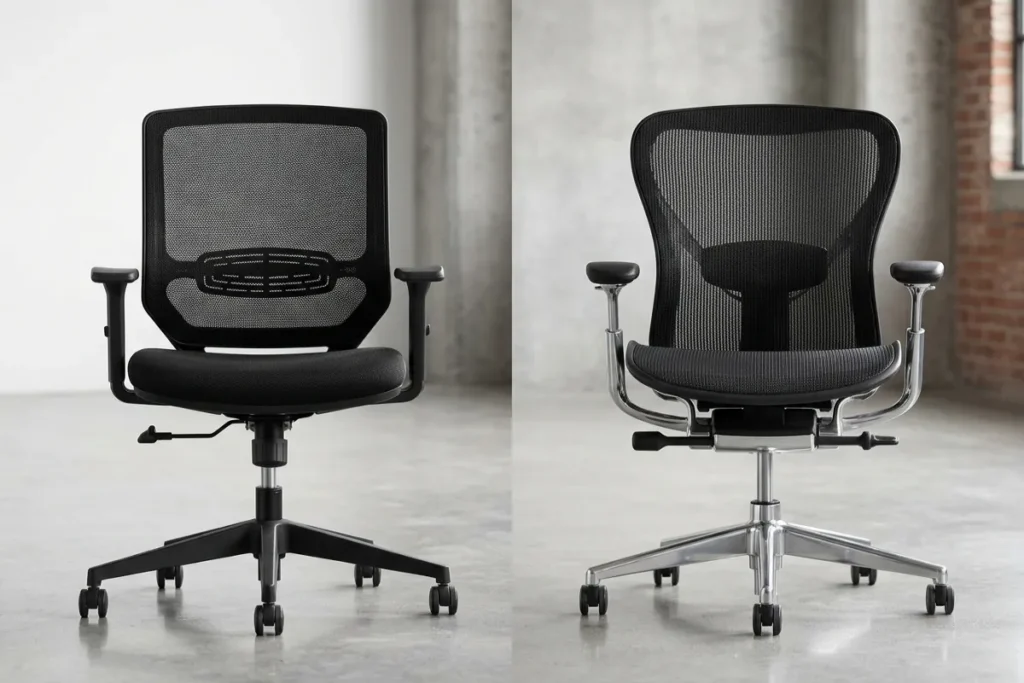
Purchasing the best chair on the market is only the first step; configuring it correctly is where the real magic happens. Even the most advanced Awesome Ergonomic Chair will cause pain if it is improperly adjusted. Follow these step-by-step instructions to create a perfectly customized seating experience.
Step 1: Establish Your Foundation (The 90-90-90 Rule)
Start by adjusting the seat height. Your feet should be planted completely flat on the floor. Your knees should be bent at a perfect 90-degree angle, resting roughly at or slightly below hip level. If your desk is too high and forces you to raise the chair so your feet dangle, you must invest in an ergonomic footrest. Dangling legs restrict blood flow to the thighs and pull heavily on the lower back.
Step 2: Calibrate the Seat Depth
Sit back so your buttocks are firmly against the base of the backrest. Adjust the seat pan depth so that you can fit exactly two to three fingers between the front edge of the seat cushion and the back of your knees. This gap ensures proper circulation to your lower legs.
Step 3: Position the Lumbar Support
Your lower spine has a natural inward curve. Slide the adjustable lumbar pad up or down until it fits perfectly into the deepest part of that curve, generally right around your belt line. You should feel a firm but gentle forward pressure that encourages your chest to stay open. It should never press sharply into your mid-back or tailbone.
Step 4: Align the Armrests
Drop your shoulders completely so they are fully relaxed. Bend your elbows to a 90-degree angle. Raise the armrests until they just barely touch the underside of your forearms. If the armrests force you to shrug, they are too high; if you have to slump down to reach them, they are too low.
Step 5: Adjust the Monitor Height
Your chair works in tandem with your desk environment. Ensure the top third of your computer monitor is directly at eye level. If your screen is too low, you will unconsciously lean forward, pulling your back away from the lumbar support and straining your neck.
Conducting a 2026 Ergonomic Health Check on Your Current Seat
Are you wondering if your current chair is still viable, or if it is secretly causing your afternoon fatigue? Perform this quick 10-second diagnostic check:
- The Cylinder Test: Does your chair slowly sink throughout the day? If the pneumatic gas cylinder is failing, you are constantly losing your ergonomic height alignment.
- The Mesh Tension Test: Press firmly on the mesh backrest. Does it bounce back immediately, or does it sag and feel permanently stretched out? Loss of mesh tension destroys spinal support.
- The Foam Density Test: When you sit down, can you feel the hard plastic or metal pan beneath the cushion? If the high-density foam has compressed permanently, it is causing dangerous pressure points on your hips and tailbone.
- The Base Stability Test: Lean back in the chair and roll slightly. Does it feel unstable or make grinding noises? A certified five-point star base with casters matched to your floor type (hard wheels for carpet, soft for wood) is essential for safety and mobility.
If your current chair fails any of these tests, its structural integrity is compromised, and it is actively contributing to musculoskeletal strain.
Incorporating Movement: The Final Piece of the Puzzle
It is vital to remember that the human body requires movement. Even if you are sitting in a meticulously calibrated, multi-thousand-dollar chair, remaining entirely static is detrimental to your health.
The best ergonomic chairs encourage “active sitting” through synchronized tilt mechanisms. This allows the backrest and seat pan to recline at a sophisticated ratio, keeping your feet flat on the floor while opening up your hip angle. You should unlock your chair’s tilt mechanism periodically to rock back, take a phone call, or think through a problem.
Furthermore, you must incorporate “movement snacks” into your daily routine. Set a timer to stand up, stretch your hamstrings, and walk around for two to three minutes every hour. This flushes your muscles with fresh oxygen and resets your posture.

Conclusion
The evolution of workspace design in 2026 has proven that enduring chronic pain for the sake of productivity is an outdated concept. With incredible advancements in dynamic lumbar tracking, breathable textiles, and multi-dimensional adjustability, the right equipment can radically transform your daily routine. Finding an Awesome Ergonomic Chair doesn’t have to be overwhelming—by focusing on your specific body dimensions and the core features outlined above, you can invest in a chair that actively protects your spine and enhances your focus.
Remember, your health is your most valuable asset. Don’t settle for a rigid, outdated seat that leaves you exhausted by 3:00 PM. Take the time to audit your workspace, prioritize your physical alignment, and make the switch to a chair that supports you through every hour of the workday.
Ready to upgrade your home office setup and discover the best tech accessories of 2026? Head over to thetekworld.com for in-depth reviews, buying guides, and expert tips to optimize your remote work life today!
Frequently Asked Questions (FAQ)
1. How long does a high-quality ergonomic office chair typically last?
A premium ergonomic chair built with aerospace-grade aluminum, high-tension mesh, and certified pneumatic cylinders can easily last 10 to 15 years, often backed by extensive 12-year manufacturer warranties. Mid-range and budget chairs typically maintain their structural integrity for 3 to 7 years, depending on daily usage and material quality.
2. Are full-mesh chairs better than foam cushion chairs?
It depends entirely on your environment and personal preference. Mesh chairs are vastly superior for breathability and temperature regulation, making them ideal for warmer climates or users who run hot. However, some users find mesh seat pans too firm or abrasive over time. High-density foam seat pans offer a softer, more traditional cushion feel, but lack the ventilation of mesh.
3. Why do my shoulders and neck hurt even when using an ergonomic chair?
Neck and shoulder pain are almost always tied to two setup errors: improper armrest height and incorrect monitor placement. If your armrests are too high, your shoulders are in a constant “shrug” position. If your monitor is too low, you are leaning your neck forward (turtle-necking) to see the screen. Ensure your elbows are at 90 degrees and the top of your monitor is at eye level.
4. Can an ergonomic chair actually fix my bad posture?
While a chair cannot magically cure medical conditions, a properly calibrated ergonomic chair physically prevents you from falling into poor postures. Features like dynamic lumbar support and synchronized tilt mechanics reduce the muscle fatigue that typically causes you to slouch. By supporting a neutral spine, the chair makes maintaining good posture feel effortless rather than like a chore.
5. What is the difference between a task chair and an executive chair?
Task chairs are engineered specifically for long, 6-to-8-hour days of desk work, prioritizing high adjustability across every contact point (seat depth, armrests, lumbar). Executive chairs prioritize a commanding aesthetic and a taller backrest that supports the upper shoulders and head, making them better suited for professionals who spend more time in meetings or on phone calls rather than strictly typing.
